
Facebook Event: How to Create and Boost Event Interest
Vietnamese
Quick answer: To create and boost event interest effectively on Facebook, start by crafting a compelling event page with a clear value proposition and an engaging cover photo or video. Promote your event early, at least two weeks out, and consistently share updates like speaker bios or behind-the-scenes glimpses. Utilize targeted ad campaigns for broader reach, focusing on demographics and interests most likely to attend. Engage with attendees by responding to comments and questions promptly.
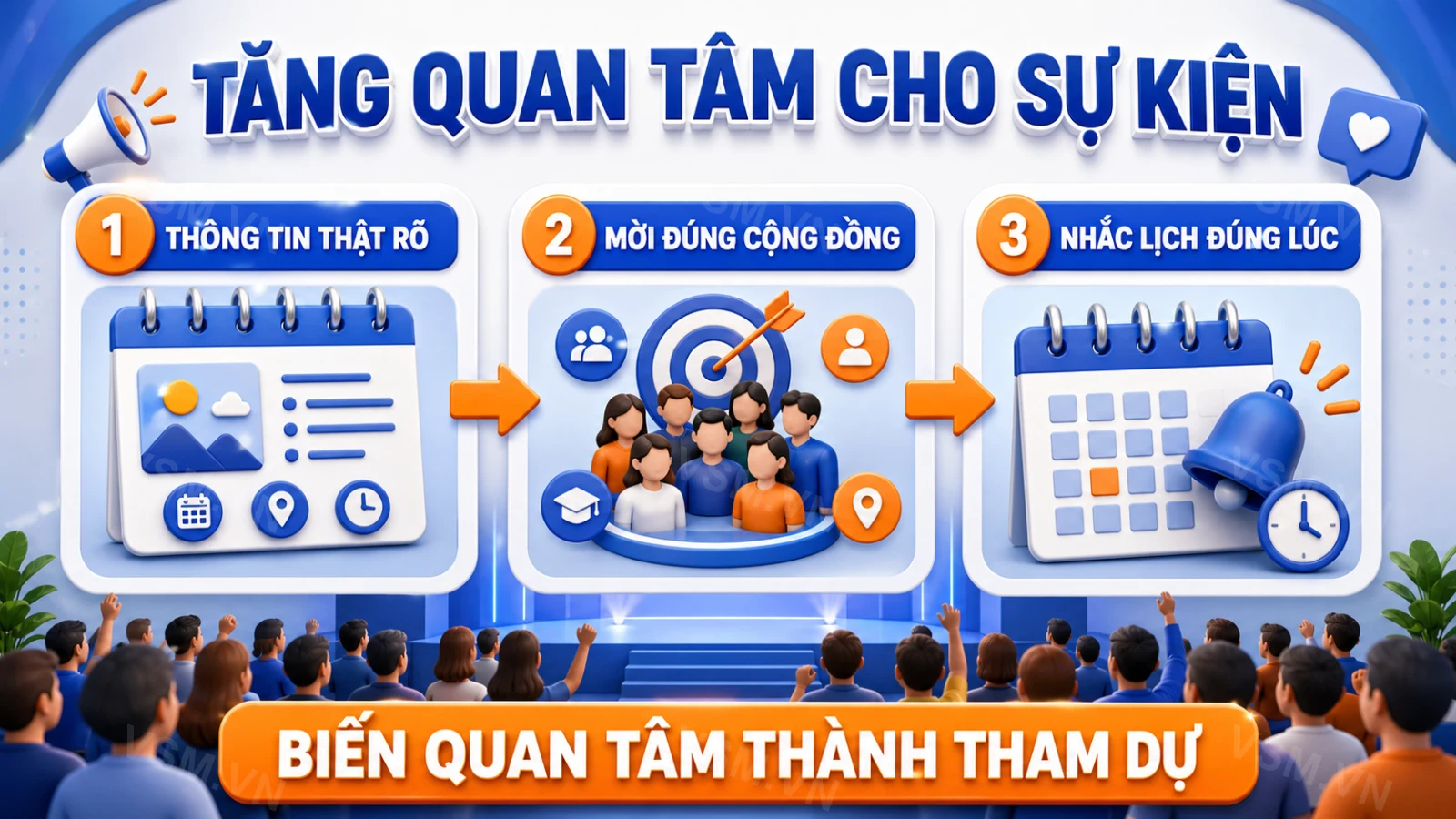
Facebook Event is a free yet powerful tool that many businesses, brands, and organizations are not fully utilizing. With just a few steps to create an event, you have a mini "landing page" right on Facebook to announce the time, location, program details, and, most importantly, measure community interest through the "Interested" and "Going" metrics.
The issue is that most events are created and then remain silent, with only a few dozen interests from the admin's close friends. This article will guide you from creating a well-structured Facebook Event to techniques for genuinely increasing interest, helping your event reach the right audience and achieve maximum conversion efficiency.
What is a Facebook Event and Why is Interest Important?
A Facebook Event is a distinct page created by an individual or Fanpage, allowing users to click "Interested" or "Going" to receive reminders, view the latest updates, comment, and share. Unlike a regular post that only appears in the newsfeed for a short time, an event has a permanent link, can be pinned, advertised, and reshared throughout the campaign's lifecycle.
Interest (Interested) acts as social proof: when an event has thousands of interests, new viewers automatically believe it's worth noting, thus increasing the likelihood of them clicking interested due to the crowd effect. Moreover, the Facebook algorithm prioritizes displaying events with high interaction to users with related interests in the area, enhancing the event's organic reach without the need for ads.
Guide to Creating a Perfect Facebook Event from A to Z
Before thinking about increasing interest, the event needs to be properly set up to optimize visibility and persuade viewers to interact at first sight.
- Select a high-quality cover photo: Recommended size is 1920x1005px. The image should clearly convey the theme and may include the date and time for quick viewer comprehension.
- Choose a concise, keyword-rich event name: The name should include the event type (workshop, livestream, grand opening, minigame...) to make it easily searchable and suggested.
- Complete the time and location details: For online events, select the correct "Online Event" format and attach the live stream link or Zoom/Meet link.
- Write a detailed, structured description: Clearly state the program content, guest speakers, participation benefits, and a clear call-to-action (CTA) at the end of the description.
- Add co-host Fanpages: If there are partners, add them as co-hosts to share the event with both parties' followers.
Secrets to Boosting Interest and Participation in Facebook Events
Optimize Content to Spark Action
Users click "Interested" when they perceive clear and urgent value. Highlight scarcity (limited seats, early bird offers) and specific benefits (gifts, knowledge, exclusive experiences). A small but effective tip is to pin the first comment with instructions on how to receive offers upon clicking interested, creating additional motivation for interaction.
Promote the Event Across Multiple Channels
Don't just post the event on your Fanpage and wait. Share the event link in Stories, related community groups, email marketing, Zalo OA channels, and even employee email signatures. If budget allows, run Facebook Ads in "Responses" format targeting the right audience by geographic area and interests to increase interest quickly and accurately compared to organic posting alone. For instance, if your event is a cooking class, target audiences interested in culinary arts, healthy eating, or local dining.
Utilize Livestream to Maintain Event Momentum
For events with performances, product launches, or workshops, live streaming before, during, and after the event helps maintain continuous attention on the newsfeed. If you want your live video to gain high viewership from the start to create a crowd effect, you can check out how to increase Facebook livestream viewership to coordinate with the event marketing campaign, enhancing both interaction metrics simultaneously. For example, share snippets of previous events or behind-the-scenes content leading up to the livestream to build anticipation.
Trigger Viral Effects from Participants
Encourage those who have clicked interested to invite more friends by organizing a small minigame: share the event on their personal page with a hashtag to receive a gift. This mechanism leverages users' own networks, helping the event reach groups that ads might struggle to touch. Consider offering a raffle or prize draw for those who share the event, further incentivizing them to spread the word.
Should You Buy Facebook Event Interest?
Many people turn to the quick solution of purchasing fake interest to "beautify" the initial numbers. This method carries risks: fake accounts do not interact authentically, do not comment, do not share, resulting in a very low actual engagement rate on the total interest — something Facebook algorithms can detect, reducing the event's natural visibility later. Moreover, if the event involves ticket sales or registration collection, fake interest does not convert into real customers, wasting the marketing budget.
A more sustainable solution is a combination of quality content, targeted advertising, and support from an experienced team to naturally increase interest from real accounts capable of genuine interaction and conversion. This is why many event organizers choose Facebook Event Services from VSM for advice on content creation, optimizing posting times, and implementing safe, interaction-boosting solutions tailored to each event type.
Measuring Effectiveness After Implementation
After each campaign, review the metrics in the event's "Insights" section: conversion rate from Interested to Going, traffic sources (shares, ads, search), and peak interaction times. This data helps you optimize for the next event: choosing the right posting times and content types that make viewers stop and interact. For instance, if you notice a high conversion rate during evenings, consider scheduling future events for that time. Additionally, analyze the demographic data of those who engaged with the event to tailor future marketing efforts effectively.
Actionable Tips for Enhancing Event Engagement
Leverage User-Generated Content
Encourage attendees to share their experiences related to your event. For example, ask them to post their excitement about the upcoming event with a specific hashtag. Feature these posts on your event page to create a sense of community and increase visibility. This not only builds excitement but also creates authentic content that can attract more participants.
Engage with Attendees Before and After the Event
Keep the conversation going by sending updates, reminders, and follow-up messages to your attendees through Messenger or email. Before the event, share sneak peeks or tips that enhance their experience. After the event, thank them for participating and ask for feedback, which can be valuable for future events. This ongoing engagement fosters loyalty and keeps your audience interested in upcoming events.
Utilize Facebook Groups for Pre-Event Discussions
Creating a Facebook Group for your event can be an effective way to generate buzz. In this group, you can share exclusive content, facilitate discussions, and answer questions. This not only serves to engage those who are already interested but also attracts new potential attendees through word-of-mouth and active discussions. Consider inviting past attendees to share their experiences and tips in the group, further enriching the community experience.
Offer Early Bird Specials
Incorporate special discounts for early registrants to create urgency. Promote these deals prominently on your event page and through your marketing channels. For example, you could offer a 20% discount for the first 50 people who register. This tactic not only boosts initial interest but also helps gauge the expected turnout.
Utilize Polls and Surveys to Gauge Interest
Before finalizing event details, consider using polls or surveys to gather input from your audience on aspects like timing, location, and content. This not only increases engagement but also ensures the event meets the expectations and preferences of your audience. Platforms like Facebook allow you to create polls directly on your event page, which can spark discussions and generate excitement.
Frequently Asked Questions
Is creating a Facebook Event free? Yes, creating events on Facebook is entirely free for both individuals and Fanpages. Costs only arise if you choose to run ads to increase reach.
Does event interest affect Facebook search rankings? Yes. Events with more real interactions (interest, comments, shares) are more likely to be suggested when users search for events by area or related topics.
How far in advance should events be created? For major events, create 3-4 weeks in advance to allow time for promotion; smaller events or short livestreams can be created 3-7 days in advance with continuous reminders before the start.
How to know if interest is real or fake? Quickly check by reviewing the list of interested users: real accounts usually have clear profile pictures, long activity history, and interactions (comments, shares) on the event itself, unlike fake accounts that often lack information and leave no interaction traces.
Can I edit my Facebook Event after it's created? Yes, you can edit your Facebook Event at any time. This includes changing details such as the event name, time, location, and description. Just ensure to communicate any significant changes to your attendees to keep them informed.
How can I increase my event's visibility on Facebook? To increase visibility, engage with your audience through posts and updates, utilize Facebook Ads targeting specific demographics, and encourage attendees to share the event with their networks. Regularly updating the event page with fresh content can also keep the audience engaged.