
Standard Image Sizes & Professional Fanpage Design 2026
Vietnamese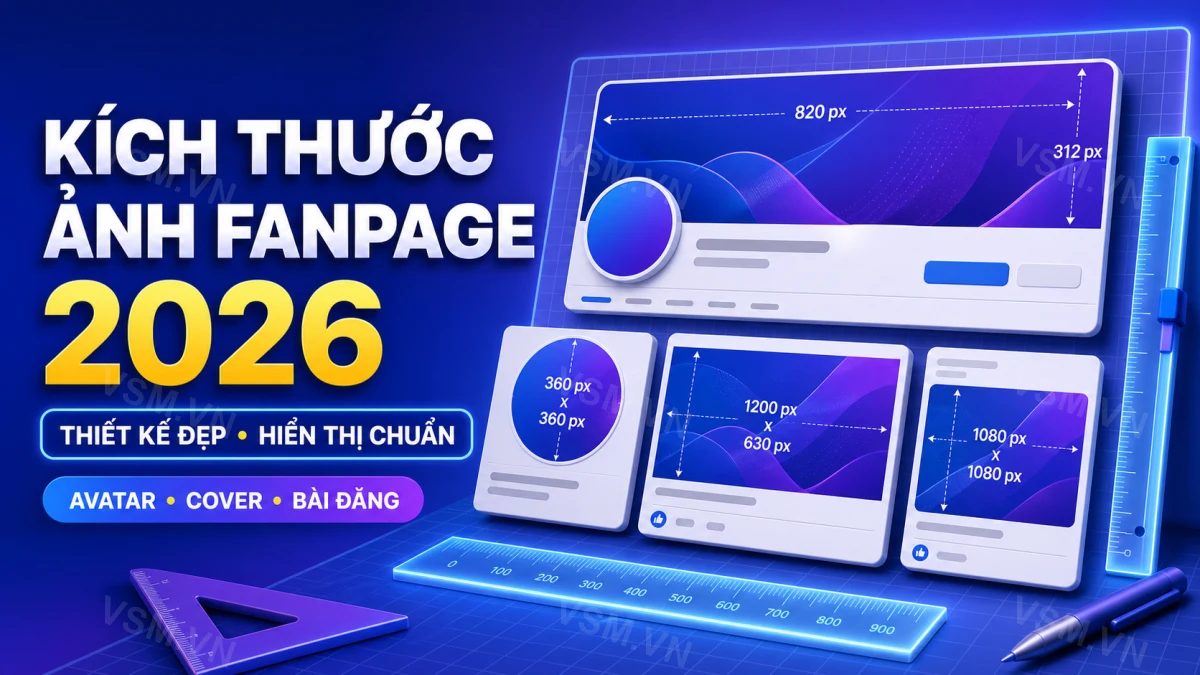
Quick answer: For 2026, professional fanpage design will prioritize responsive image sizes adapting to diverse devices, with a strong emphasis on mobile-first optimization. Expect a common hero image aspect ratio around 16:9, often scaled down to 1280x720 pixels for faster loading. Profile pictures will likely remain square, but platforms will increasingly recommend higher resolutions like 800x800 for crispness across all displays.
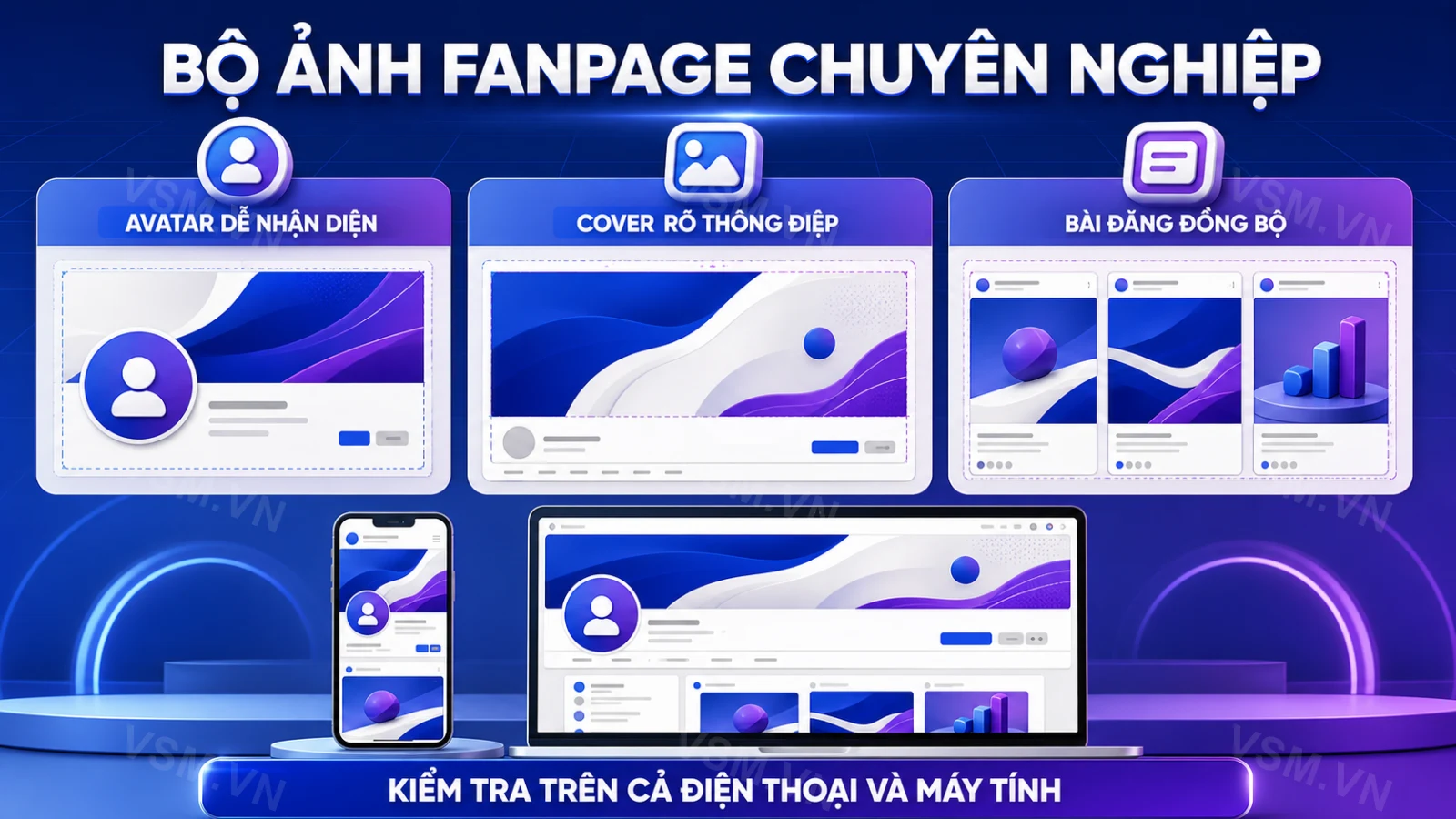
A well-crafted fanpage from the first interaction always exudes more trustworthiness than a page with blurred, misaligned images. In this article, VSM will summarize the latest standard image sizes for fanpages applicable to avatars, cover photos, post images, and stories. We will also share principles for professional fanpage design to ensure your page looks "expertly managed" at first glance in 2026.
Many shop owners and small business owners tend to overlook the importance of profile or cover photos, treating them as trivial. However, these are the most frequently displayed areas on a fanpage: appearing in every comment, message, and share. Incorrectly sized images that are pixelated, cut-off text or logos can lead customers to perceive the brand as less professional, regardless of the quality of the products or services behind it.
Why Standard Image Sizes Are Crucial for a Fanpage's First Impression
Facebook automatically compresses and resizes images to various sizes depending on where they are displayed: on computers, phones, in chat boxes, or search results. If the original image doesn't adhere to the recommended ratio, the system will crop it according to its algorithm, resulting in cut-off logos, text on cover photos being half-hidden, or faces in profile pictures being out of the circular frame. This is a common issue, especially with fanpages designed using unedited product photos.
Conversely, when images are designed with the correct ratio and resolution, the fanpage displays sharply across all devices, maintains consistent brand imagery, and creates a sense of "managed by a professional team"—a factor that directly influences a visitor's decision to message or follow the page.
Latest Standard Image Sizes for Facebook Fanpages 2026
Avatar (Profile Picture)
The avatar is displayed in a circular format in most locations (comments, messages, when the page is searched), so it should be designed with the main subject (logo, text, face) centered, avoiding placing it too close to the edges as the borders may be cropped.
- Recommended upload size: minimum 180x180px, ideally 500x500px or 1000x1000px for high-resolution displays.
- Actual display size: approximately 170x170px on desktops, 128x128px on mobile, and reduced to 36x36px in chat boxes.
- Recommended format: PNG (if the logo has a transparent background) or high-quality JPG, under 1MB for quick loading.
Cover Photo
The cover photo is the largest "advertisement" area that a fanpage owns for free, often used to convey slogans, promotions, or key product images.
- Recommended upload size: 1200x630px or larger, with a ratio of about 2.7:1 to display well on both desktop and mobile.
- Display on desktop: approximately 820x312px; on mobile: approximately 640x360px – thus, important text content should be placed in the center of the image, avoiding the sides or bottom to prevent cropping on mobile.
- If there's a CTA button (Send Message, Call Now, Learn More) overlapping the lower right corner of the cover photo on mobile, leave space to avoid obscuring important text.
Post Images, Event Images, Story Images
- Single post images: 1.91:1 ratio (about 1200x630px) displays best on the newsfeed, without cropping on the sides.
- Square images for carousel/album: 1080x1080px, suitable for posting simultaneously across multiple platforms.
- Event cover: recommended 1920x1005px for sharp display on mobile.
- Story/Reels: 9:16 vertical ratio, size 1080x1920px, with a safe zone about 250px away from the top and bottom edges to avoid being covered by icons or interaction bars.
Principles for Professional Fanpage Design to Create Brand Identity
Correct sizing is only a necessary condition; to ensure a truly professional fanpage, a consistent brand identity system is required. If a business lacks dedicated design personnel, utilizing a professional fanpage design service package can save time and ensure all image locations, colors, and layouts adhere to standards from the start, rather than requiring multiple edits.
- Consistent color scheme: choose 1-2 main colors that match the brand identity (logo, packaging, website) and apply throughout the avatar, cover photo, and product image frames. This promotes brand recognition and creates a cohesive look across all platforms.
- Clear layout: the cover photo should have a maximum of one main message, avoiding too much text that customers can't read quickly when scrolling by. Use bold typography to ensure visibility and quick comprehension.
- Optimize information tabs: brief introduction, phone number, address, and operating hours should be filled in completely to increase credibility when customers check before messaging. This information should be easy to locate and visually appealing.
- Set appropriate CTA buttons: "Send Message," "Buy Now," "Book an Appointment" depending on the business model, placed in the most visible position. Experiment with different CTA placements to see what drives the most engagement.
- Check display on both desktop and mobile platforms before officially publishing, as most Vietnamese customers access Facebook primarily from phones. Test images and text on different devices to ensure a seamless experience.
Common Mistakes That Make a Fanpage Look Unprofessional
- Using low-resolution screenshots or pre-existing images as cover photos, which become pixelated when enlarged. Always use high-quality images to maintain professionalism.
- Placing logos or phone numbers too close to the edge of the cover photo, getting cut off when viewed on mobile. Maintain a safe margin around key elements.
- Stretching rectangular images into square avatars, distorting the logo's proportions. Use editing tools to create images that fit correctly without distortion.
- Not updating the cover photo for seasons or promotions, making the fanpage appear "frozen" for months. Regular updates can signal to customers that the business is active and engaged.
- Lack of color consistency across posts, with each post having a different style, diluting brand recognition. Develop a style guide for your posts to ensure consistency in colors and fonts.
Should You Design Yourself or Hire a Professional Fanpage Design Service?
For newly established pages with limited budgets, owners can entirely design themselves using free tools (Canva, Figma) as long as they adhere to the correct sizes mentioned above. However, when a fanpage enters the advertising phase, needs to align visuals with overall marketing campaigns, or frequently change the interface for events, hiring a comprehensive design service will save time and ensure long-term professionalism. Besides the visuals, building initial engagement is equally important; you might also want to explore how to increase Facebook followers quickly and effectively to complement refreshing the interface, helping the fanpage not only look good but also grow a genuine following steadily.
A fanpage that is well-invested in terms of size and layout from the start will minimize the need for multiple revisions later and provide a solid foundation for launching advertising campaigns, promotions, or new product releases without worrying about display errors.
Creating Engaging Content for Your Fanpage
While having the correct image sizes and a professional layout is crucial, the content you share on your fanpage is equally important. Engaging content can turn casual visitors into loyal followers. Here are several strategies to create compelling content:
- Use Eye-Catching Visuals: Invest time in creating visually appealing graphics or high-quality photos. Use tools like Canva to generate images with overlays that include text to convey your message quickly.
- Post Regularly: Consistency is key in keeping your audience engaged. Create a content calendar to plan out your posts weekly or monthly. This helps maintain a steady flow of content and gives followers a reason to return.
- Incorporate User-Generated Content: Encourage your customers to share their experiences with your products or services. Reposting user-generated content not only fills your feed with authentic and relatable posts but also builds community and loyalty.
- Engage with Your Audience: Respond to comments and messages promptly. Ask questions or create polls to encourage interaction. Engaging with your audience fosters a two-way communication channel that can lead to increased loyalty and trust.
- Utilize Facebook Stories: Stories are a great way to share behind-the-scenes content, daily updates, or promotional offers. They disappear after 24 hours, which creates a sense of urgency and encourages followers to check back often.
Frequently Asked Questions
What size should a fanpage cover photo be to avoid blurriness? The original image should be at least 1200x630px, in high-quality JPG or PNG format; avoid using images under 800px in width as they will appear blurry on larger screens.
Will a square profile picture be cropped when displayed? Yes. Since the avatar frame is circular, when designing, leave padding around the logo or text, and avoid placing them too close to the corners to prevent cropping out important content.
How often should a fanpage cover photo be changed? There's no strict rule, but it should be updated for new promotions, seasonal changes, or at least every 1-2 months to keep the fanpage fresh and attract returning visitors.
Do you need to hire a fanpage design service from the start? If the fanpage is only used for small-scale interactions, free design tools are sufficient; but if you plan to run advertisements or build a long-term brand, investing in professional design from the start is recommended to avoid redoing it multiple times.
What type of content should I post to engage my audience? Post a mix of high-quality visuals, user-generated content, and interactive posts like polls or questions. Consistency in posting and engaging with your audience will also help keep them interested.
How can I measure the success of my fanpage? Use Facebook Insights to track engagement metrics such as likes, shares, and comments. Pay attention to which types of posts perform best and adjust your strategy accordingly.