
How to Create Free QR Codes for Fanpages and Websites
Vietnamese
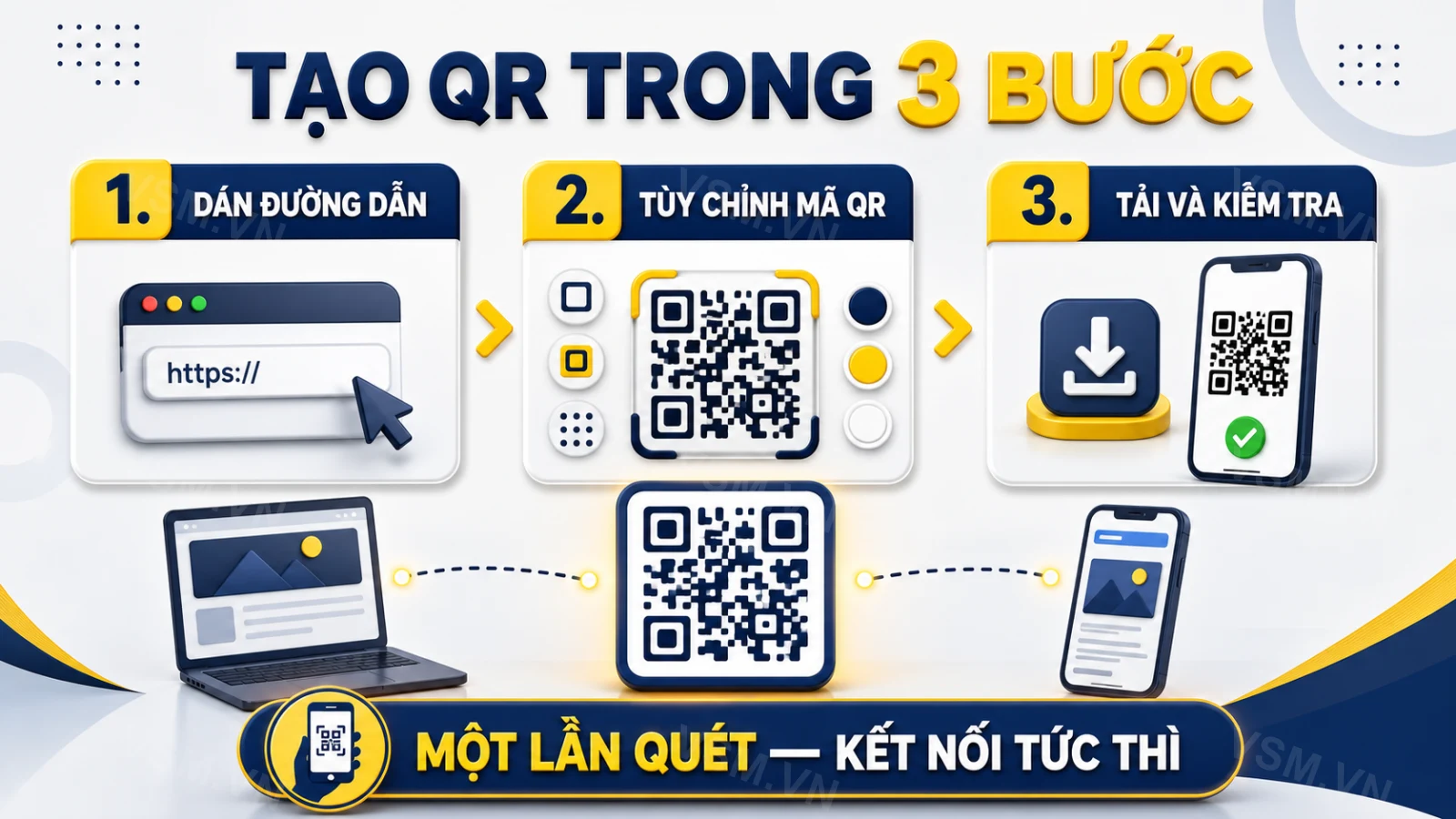
Quick answer: Creating free QR codes for your fanpage or website is straightforward. Many online tools, like QR Code Generator or Canva, offer free basic QR code creation. Simply paste your fanpage or website URL into the tool, and it will generate a QR code image for you. You can then download this image, often in PNG or JPG format, and use it immediately. This process typically takes less than 2 minutes.
In today's world where people spend more time on their phones than computers, adding a QR code to business cards, event posters, or product packaging has become commonplace. Just by scanning with a camera, customers are instantly directed to a fanpage, website, or sales landing page without typing a single character. This article will guide you on how to create free QR codes for fanpages and websites, from basic concepts to specific steps, along with tips to ensure your QR codes function reliably and safely over time.
No programming knowledge or complex software installation is required; with just a few simple steps in your browser, you can have a professional QR code that can be attached to stands, business cards, packaging, or social media posts to increase interaction and shorten the distance with customers.
What is a QR code and why use it for fanpages and websites?
A QR code (Quick Response Code) is a type of two-dimensional matrix barcode that stores information in black and white squares that a phone camera can instantly decode. Unlike traditional barcodes that only contain a few dozen numeric characters, QR codes can encode long URLs, phone numbers, contact info, or short text.
For marketers or business owners, QR codes are a bridge that shortens the gap between offline and online channels. Instead of asking customers to remember a fanpage name or type out a lengthy website URL prone to typos, a single scan takes them directly to the desired page. This is particularly useful when:
- Printed on flyers, event stands, or product packaging to direct customers to a sales fanpage.
- Attached to invoices or business cards for quick access to a service introduction website.
- Inserted into presentation slides or outdoor advertising banners, where manually typing a link is nearly impossible.
- Connecting customers to registration pages for promotions, survey forms, or Zalo OA channels.
Guide to creating a free QR code for a Facebook fanpage
Facebook offers a built-in feature to create QR codes for each fanpage (go to Page Settings, select QR Code), but these codes often have limited brand customization and do not allow changing the destination link after creation. To have more control, consider using a specialized QR code generator with the following steps:
- Copy the Facebook fanpage link, for example, facebook.com/shopname.
- Paste the link into the input field of the QR code generator.
- Customize the colors and insert a brand logo in the center of the code (if the tool supports it) to enhance brand recognition.
- Test by scanning with your phone before mass printing.
- Download the QR code in PNG or SVG format for various printing purposes.
To save time, you can use the QR Code Generator Tool from VSM: simply paste the fanpage or website link, and the system will generate a high-quality QR code within seconds, completely free and with unlimited creations.
Choosing the Right QR Code Generator
When selecting a QR code generator, consider the following factors to ensure you choose the best tool for your needs:
- Customization Options: Look for generators that allow you to customize colors, shapes, and logos to align with your brand identity.
- Dynamic vs. Static: Choose between dynamic QR codes, which allow you to change the destination link later, and static codes, which are permanent.
- Analytics: Some tools provide analytics features to track how many times your QR code has been scanned, which is beneficial for measuring campaign effectiveness.
- Cost: Many QR code generators are free, but some may charge for advanced features. Be sure to evaluate your budget and needs before committing.
Guide to creating a QR code for a website or landing page
The process to create a QR code for a website is similar to a fanpage, but you need to consider a few additional points to ensure the code works effectively in marketing campaigns:
- Use the correct destination link (a proper URL with https, not redirected through too many layers) to avoid errors or slow scans.
- If you want to track scan counts, add a UTM tag to the link before creating the code, then check the results in your website analytics tool.
- For time-limited campaigns like promotions or events, prioritize tools that support dynamic QR codes to change the destination link without reprinting new codes.
- Select a sufficiently large code size when printing on materials like stands or outdoor posters so the camera can recognize it from a distance.
Once you have the code, place it in a visible location with a short call-to-action like "Scan to see more offers" to increase the likelihood that customers will scan it rather than just glance over.
Effective Placement Strategies for QR Codes
The placement of your QR code can significantly impact its effectiveness. Here are some strategic tips for optimal placement:
- High Traffic Areas: Position QR codes in areas where foot traffic is high, such as store entrances, checkout counters, or event booths.
- Eye Level: Place QR codes at eye level on posters or displays to make it easy for customers to scan without straining.
- Complementary Messaging: Use accompanying text or visuals that entice users to scan the QR code, such as "Scan for a surprise discount!" or "Get exclusive content!"
- Multiple Locations: If possible, place QR codes in multiple locations within a single marketing material to capture attention from different angles.
Benefits of using QR codes in multi-channel marketing
QR codes are not just decorative images; when used correctly, they provide tangible benefits for business and brand building:
- Shorten the conversion journey since customers don't have to remember or manually type URLs.
- Measure the effectiveness of offline campaigns by attaching UTM tags or using dynamic QR codes with real-time scan statistics.
- Enhance brand professionalism when QR codes appear consistently on packaging, name cards, and printed materials.
- Directly connect offline channels like stores or events with online channels like fanpages or websites, helping natural traffic grow sustainably instead of relying solely on paid advertising.
Besides using QR codes, if your goal is to grow traffic steadily over the long term, consider reading the article How to Increase Website Traffic for Free and Quickly in 2025 to combine multiple channels, helping both your website and fanpage develop in parallel instead of relying on a single source.
Safety tips when creating and using QR codes
While convenient, QR codes can pose risks if not carefully managed, especially when brands print large quantities for public distribution. Here are some important safety tips to remember:
- Always double-check the link before creating the code to avoid typos that lead customers to the wrong page.
- Avoid using QR codes to direct to pages that require sensitive information unless the page has a reliable SSL security certificate.
- With static QR codes, once printed in large quantities, you can't change the destination link, so consider using dynamic QR codes if the campaign content is likely to change later on.
- Be cautious when scanning unfamiliar QR codes, as malicious individuals could overlay fake codes over real ones to steal user information. This is why you should create and control your brand's QR codes using reputable tools rather than relying on unknown third parties.
- Consider adding a small disclaimer next to your QR code stating that users should only scan codes from trusted sources.
How to Monitor QR Code Effectiveness
Monitoring the effectiveness of your QR codes is crucial to understanding their impact on your marketing efforts. Here are some steps to effectively track their performance:
- Use Analytics Tools: Implement UTM tags in your QR code links to track traffic in Google Analytics or other analytics platforms.
- Review Scan Statistics: If you are using dynamic QR codes, regularly check the analytics dashboard provided by your QR code generator to gather data on scan counts, locations, and times.
- A/B Testing: Experiment with different placements and designs for your QR codes to see what resonates best with your audience, then analyze the results.
- Feedback Loop: Encourage users to provide feedback on their experience after scanning the QR code to gather qualitative insights that can inform future campaigns.
Frequently Asked Questions
Is there a limit to the number of free QR codes you can create? Most free QR code generators today allow you to create unlimited codes, although some platforms may restrict advanced features like dynamic QR codes or scan statistics to paid plans.
What's the difference between static and dynamic QR codes? Static QR codes encode the destination link directly in the image, making them uneditable after creation. Dynamic QR codes lead through an intermediary link, allowing you to change the destination at any time and view real-time scan data.
Can you insert a brand logo into the center of a QR code? Yes. Most modern QR code generators allow you to insert a logo into the center of the code while maintaining accurate scanning, as long as the logo doesn't cover too much of the code's area.
Do QR codes expire? Static QR codes do not expire as all information is fixed in the image. Dynamic QR codes depend on whether the service provider maintains the intermediary link, so choose a reputable tool that operates stably over time to prevent codes from being disabled midway.
How can I ensure my QR code is scannable? To ensure your QR code is scannable, avoid overly complex designs, ensure there is sufficient contrast between the code and background, and print it at an appropriate size. Testing it with multiple devices before finalizing your materials will also help.