
Image SEO: How to Optimize Images for Your Website
Vietnamese
Quick answer: Image SEO is crucial for website visibility, directly impacting organic traffic and user experience. Optimizing images involves several key steps: using descriptive alt text, compressing files to ensure fast loading times (ideally under 100KB), and choosing appropriate file formats like WebP for modern browsers. Proper image optimization helps search engines understand your content, improving your site's ranking and attracting more visitors.
When it comes to website optimization, most content creators focus almost entirely on text and overlook an equally important factor: images. Image SEO is the set of techniques that help search engines "read" the content of an image, ultimately improving page rankings, shortening load times, and driving additional traffic from Google Images. In practice, plenty of websites with genuinely strong content still lose SEO points simply because their images are too heavy, lack proper descriptions, or use messy file names like "IMG_2938.jpg".
This article walks through everything from the basic concept to concrete, actionable steps, helping you optimize every image on your website according to Google's recommended standards while avoiding the common mistakes that make images practically "invisible" to search engines.
What Is Image SEO and Why Does It Affect Website Rankings?
Image SEO is the process of optimizing an image's technical and content attributes — including the file name, alt tag, format, size, and structured data — so that search engines understand the correct context and can rank that image in image search results, while also helping improve the ranking of the page the image sits on. Google can't "see" an image the way a human does; it relies on surrounding text, the file name, the alt tag, and a handful of other technical signals to figure out what the image is actually about.
Unoptimized images cause three main problems: they slow down page load speed (which directly affects Core Web Vitals), they cause websites to miss out on Google Images — a meaningful source of free traffic for visually driven industries like fashion, home decor, food, and travel — and they make content inaccessible to visually impaired users. For this reason, image optimization isn't just an SEO technique; it's also tied to user experience and accessibility.
The Role of Core Web Vitals
Google's Core Web Vitals metrics (Largest Contentful Paint - LCP, First Input Delay - FID, and Cumulative Layout Shift - CLS) are crucial for user experience and directly impact SEO. Images play a significant role in LCP, which measures the time it takes for the largest content element on the page to become visible. A large, unoptimized image can severely inflate LCP, signaling a poor user experience to Google and potentially lowering your search rankings. Similarly, failing to specify image dimensions can contribute to CLS, where elements shift around unexpectedly during page load, further degrading user experience.
Image Search as a Traffic Driver
For many businesses, Google Images is an untapped goldmine. Think of an e-commerce store selling artisan jewelry, a travel blog showcasing breathtaking landscapes, or a food blogger sharing delicious recipes. In these scenarios, users often start their search visually. By optimizing images, these sites can appear prominently in image search results, drawing in highly engaged users who are already looking for visual inspiration related to their products or content. This isn't just about direct traffic; it's also about brand visibility and establishing authority in a visual niche.
Core Elements of Image SEO
Using SEO-Friendly File Names
Before uploading, rename your image files into descriptive phrases, written in lowercase and separated by hyphens. For example, instead of "DSC_0087.jpg", use something like "oak-wood-living-room-furniture.jpg". The file name is one of the very first signals Google reads before analyzing anything else about the image, so don't skip this seemingly minor step.
Practical Tips for File Naming:
- Be Specific: Instead of "dog.jpg", use "golden-retriever-playing-in-park.jpg".
- Use Keywords Naturally: If your page is about "best hiking trails in Colorado," an image filename could be "rocky-mountain-national-park-hiking-trail.jpg".
- Avoid Special Characters: Stick to lowercase letters, numbers, and hyphens. Avoid spaces, underscores, or accented characters, as these can sometimes cause issues with server paths or indexing.
- Keep it Concise: While descriptive, avoid excessively long file names. Aim for 3-7 words that capture the essence.
Alt Text — the "Soul" of Image SEO
The alt tag (alternative text) is a short description embedded in an image's HTML markup that helps search engines and screen readers understand what the image depicts. A good alt text should be concise (roughly 8-12 words), accurately describe the image's content, and can naturally incorporate a relevant keyword — but should never be stuffed with multiple keyword phrases. Writing solid alt text is also typically part of a professional On-Page SEO service, since alt text has a direct impact on how relevant an entire page is to a given search query.
Crafting Effective Alt Text:
- Describe Accurately: Imagine you're describing the image to someone who can't see it. What is in the picture? What's its purpose on the page?
- Incorporate Keywords Thoughtfully: If the image genuinely supports a keyword, include it. For example, an image of a "vintage leather armchair" on a furniture site could have alt text like: "Close-up of a classic vintage brown leather armchair with brass studs."
- Avoid Keyword Stuffing: "Vintage leather armchair buy best quality cheap sale" is a clear example of keyword stuffing and will hurt your SEO.
- Context is Key: The alt text should make sense within the surrounding content of the page.
- Decorative Images: For purely decorative images that don't convey information (e.g., a background pattern), use an empty alt attribute (
alt="") so screen readers skip them.
Example: For an image of a chef preparing a dish, instead of alt="chef food cooking kitchen", use alt="Professional chef carefully garnishing a gourmet pasta dish with fresh herbs."
Format, Size, and Compression Level
Image format has a major influence on page load speed. Modern formats like WebP or AVIF produce files that are 25-50% lighter than JPEG or PNG at nearly identical visual quality. Beyond that, images should be resized to match their actual display dimensions — uploading a 4000x3000px original that only ever displays in an 800x600px frame wastes bandwidth and needlessly slows down the page.
Choosing the Right Format:
- WebP/AVIF: These are generally the best choices for most web images due to their superior compression and quality. Browser support is excellent for WebP, and growing rapidly for AVIF. Always consider providing fallback formats for older browsers.
- JPEG: Still a good choice for photographs and complex images with many colors, especially as a fallback.
- PNG: Ideal for images requiring transparency (logos, icons) or images with sharp lines and text, where lossy compression (like JPEG) would degrade quality. However, PNG files are typically larger than JPEGs for similar visual content.
- SVG: Scalable Vector Graphics are perfect for logos, icons, and illustrations. They are resolution-independent, meaning they look sharp on any screen size, and their file sizes are often tiny.
Resizing and Compression Strategies:
Resizing an image means changing its actual pixel dimensions. If an image will be displayed at 800 pixels wide on your website, there's no need to upload a 2000-pixel-wide version. Compression, on the other hand, reduces the file size without changing the dimensions, often by removing redundant data or reducing color depth. Both are critical.
- Before Uploading: Use image editing software (Photoshop, GIMP) or online tools to resize images to their maximum display dimensions.
- Server-Side Compression: Many content management systems (CMS) and hosting providers offer plugins or built-in features for automatic image compression upon upload.
- Client-Side Compression Tools: Tools like TinyPNG, Squoosh, or ShortPixel allow you to manually compress images before uploading. Squoosh, developed by Google, is particularly versatile as it supports various formats and offers advanced compression settings.
Step-by-Step Guide to Optimizing Images for Your Website
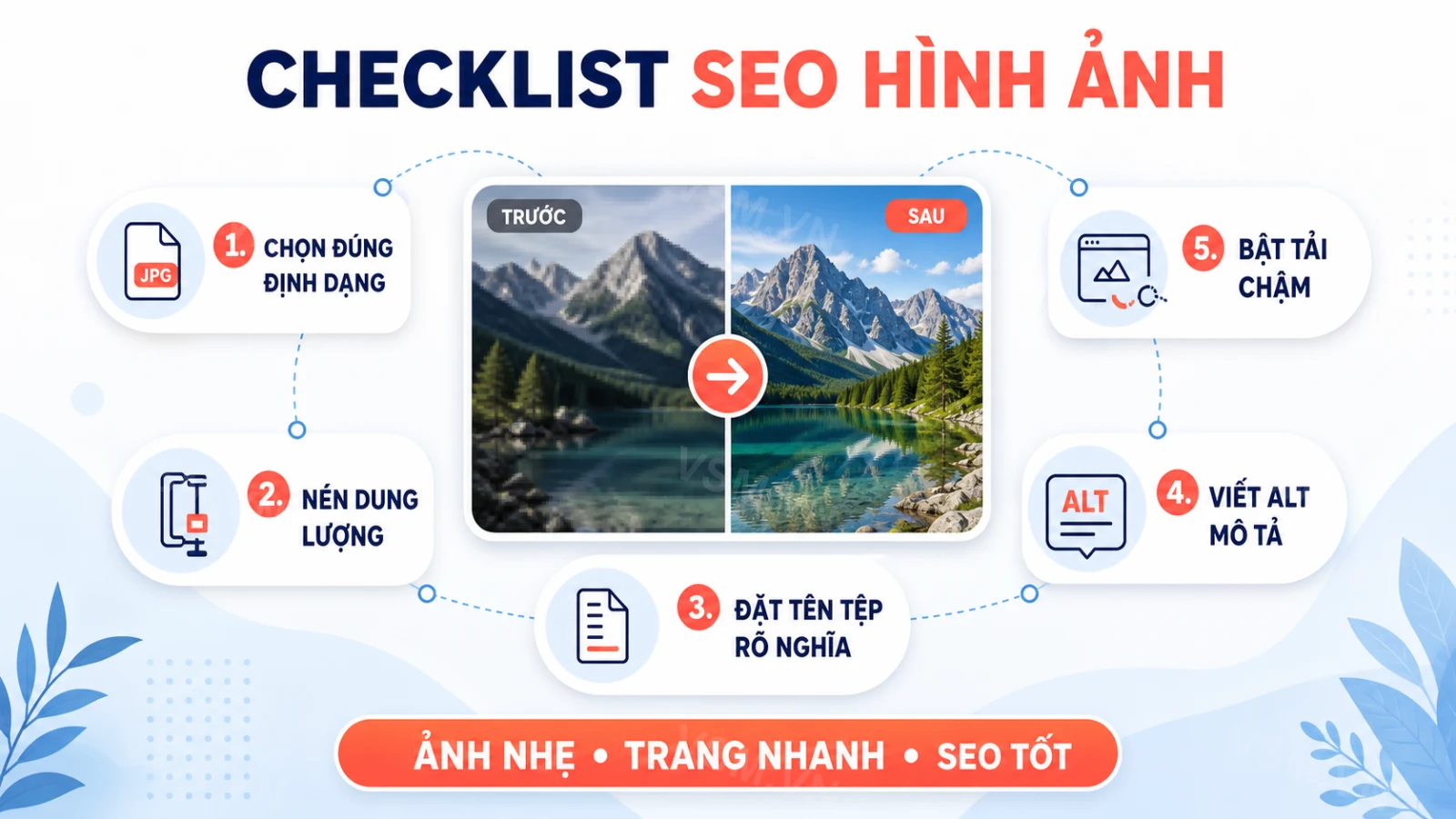
To roll out image SEO systematically, follow this sequence:
- Choose high-quality images that genuinely match the content topic; avoid generic, unrelated stock photos.
- Resize images to their actual display dimensions before uploading them to your website.
- Compress images with a dedicated tool (TinyPNG, Squoosh, ShortPixel, etc.) or convert them to WebP/AVIF.
- Give each file a clear, descriptive name — lowercase, hyphen-separated, with no accented or special characters.
- Write alt text that accurately describes the image content, weaving in keywords naturally where it fits the context.
- Add a caption for key images whenever the surrounding content calls for extra explanation.
- Check page load speed after optimizing using PageSpeed Insights or GTmetrix.
Applying this process consistently to every new image you publish, while periodically auditing older images that haven't been optimized yet, will steadily improve your entire website's performance scores and visibility in image search.
Auditing Existing Images
Don't just focus on new images. Many websites have a backlog of unoptimized images. Use site audit tools (like Screaming Frog, Ahrefs, or SEMrush) to identify large image files, missing alt text, or incorrect image dimensions. Prioritize optimizing images on your most important or highest-traffic pages first. This iterative process ensures continuous improvement.
Advanced Techniques: Lazy Loading, Image Sitemaps, and Responsive Images
Beyond the basics, several advanced techniques can make image SEO even more effective. Lazy loading is a mechanism that only loads an image once the user scrolls to its position on the page, reducing initial load time — especially valuable for image-heavy pages like blog posts or product listings. The srcset attribute lets the browser automatically choose the image version that best matches the device's screen size, avoiding the need to send high-resolution images to mobile users who don't need them.
In addition, declaring a dedicated image sitemap — or adding image tags to your existing XML sitemap — helps Googlebot discover and index images faster, particularly for images buried deep in the site structure or loaded via JavaScript. For sites with a large volume of images, this is a step you shouldn't skip if you want to make the most of image-search traffic.
Implementing Lazy Loading
Lazy loading can be implemented natively in modern browsers using the loading="lazy" attribute directly in the <img src="image.jpg" alt="Description" loading="lazy">. This is the simplest and most recommended method. For older browsers or more complex scenarios, JavaScript libraries can be used, but native lazy loading is now widely supported and generally preferred for performance.
Benefits of Lazy Loading:
- Faster Initial Page Load: Only images "above the fold" (visible on screen) load immediately.
- Reduced Bandwidth Usage: Users on limited data plans won't download images they never see.
- Improved Core Web Vitals: Positively impacts LCP by prioritizing visible content.
Responsive Images with srcset and sizes
Responsive images are critical for providing an optimal experience across various devices and screen sizes. The srcset attribute allows you to provide multiple image sources, and the browser then picks the most appropriate one based on screen resolution and pixel density. The sizes attribute tells the browser how much space the image will take up on different screen sizes.
Example:
<img srcset="image-small.jpg 480w, image-medium.jpg 800w, image-large.jpg 1200w"
     sizes="(max-width: 600px) 480px, (max-width: 1000px) 800px, 1200px"
     src="image-large.jpg" alt="Responsive image example">
This tells the browser: "If the viewport is up to 600px wide, the image will take up 480px; if it's up to 1000px, it will be 800px; otherwise, it will be 1200px." The srcset then provides the corresponding image files at those widths (e.g., 480w means 480 pixels wide).
Image Sitemaps for Enhanced Discoverability
While Google can find most images embedded on pages, an image sitemap provides an explicit list, ensuring all images are discovered and indexed. This is particularly useful for:
- Images loaded via JavaScript.
- Images not directly linked from the main content.
- Websites with a vast number of images.
You can either create a dedicated image sitemap (e.g., images.xml) or add image-specific tags to your existing XML sitemap. The structure involves using the <image:image> tag within the <url> element, including <image:loc> for the image URL and optionally <image:title> and <image:caption>.
Example snippet for an XML sitemap:
<url>
  <loc>https://www.example.com/page-with-image.html</loc>
  <image:image>
    <image:loc>https://www.example.com/images/my-awesome-image.jpg</image:loc>
    <image:caption>A beautiful sunset over the mountains.</image:caption>
    <image:title>Mountain Sunset Landscape</image:title>
  </image:image>
</url>
Remember to submit your sitemap(s) to Google Search Console to inform Google about their existence.
Common Mistakes When Optimizing Images for SEO
Many websites make mistakes that look small but carry a real impact on overall SEO performance. The most common ones include leaving default file names straight from a camera or phone, leaving alt tags blank or stuffing them awkwardly with keywords, uploading multi-megabyte original files without any compression, and failing to declare width/height attributes on the img tag, which causes layout shift while the page loads (hurting the CLS metric in Core Web Vitals). Another mistake that often goes unnoticed is reusing the same image across multiple pages without adjusting the alt text accordingly, which makes it harder for search engines to distinguish how each page is using that image in context.
Fixing these issues typically delivers fast, noticeable results, since they're technical improvements that don't require rewriting any content yet have a direct impact on load speed and indexability. If you're building a comprehensive SEO strategy for your website, it's worth reading our complete guide to comprehensive SEO to understand where image SEO fits into the bigger picture, so you can prioritize your work more effectively.
Details on Common Pitfalls:
- Generic File Names: "IMG_1234.jpg" or "screenshot.png" provide zero context to search engines. Always rename files descriptively.
- Missing or Poor Alt Text: Blank alt attributes for meaningful images make them inaccessible and invisible to search engines. Keyword-stuffed alt text is also detrimental.
- Unoptimized Image Dimensions and Size: Uploading a 5MB image that displays at 500x300 pixels is a cardinal sin in web performance. Always resize and compress.
- No Width and Height Attributes: Forgetting to include
widthandheightattributes in the<img>tag allows the browser to reserve space for the image before it loads. Without them, the page layout can "jump" as images load, leading to a poor Cumulative Layout Shift (CLS) score. - Lack of Caching: If your server isn't properly configured to cache images, users will download them repeatedly, even if they've visited the page before, slowing down return visits.
- Using Text in Images Instead of HTML: While sometimes unavoidable, embedding important text (like headlines or calls to action) directly into images makes it unreadable by search engines and screen readers. Prefer HTML text whenever possible.
What Are the Long-Term Benefits of Image SEO?
In the short term, optimized images make pages load faster, improve user experience, and boost Core Web Vitals — an official Google ranking factor. In the long run, a well-optimized image library creates an additional, independent traffic channel from Google Images, which is especially valuable for industries with high visual-search demand. Compared to focusing solely on text-based SEO, investing in image SEO alongside it lets a website make fuller use of the real estate available on the search results page, while reinforcing the overall quality signals Google evaluates for the entire domain.
Beyond Rankings: User Engagement and Brand Authority
The benefits of image SEO extend beyond direct ranking improvements. Visually appealing and fast-loading images enhance user engagement. Users are more likely to stay on a page, explore content, and convert if the visual experience is seamless and professional. This improved engagement sends positive signals to search engines, indirectly boosting rankings. Furthermore, high-quality, relevant images can establish your brand as an authority in your niche, making your content more trustworthy and shareable across social media and other platforms.
Think of a travel blog with stunning, optimized images versus one with blurry, slow-loading photos. Which one would you trust more for travel advice? The visual quality and performance directly reflect on perceived expertise and reliability. Image SEO is not just a technical task; it's an investment in your brand's online presence and user perception.
Measuring the Impact of Image SEO
To truly understand the value of your image optimization efforts, it's crucial to measure their impact. Here are key metrics to track:
- Page Load Speed: Monitor LCP and overall page load times using tools like Google PageSpeed Insights, GTmetrix, and Lighthouse. Look for improvements after implementing optimizations.
- Google Search Console: Check the "Performance" report, specifically filtering by "Image Search" to see traffic driven from Google Images. Also, monitor Core Web Vitals reports for improvements in CLS and LCP.
- Analytics (e.g., Google Analytics): Track engagement metrics like bounce rate, time on page, and conversion rates for pages where images have been optimized. A faster, more visually appealing page can lead to better engagement.
- Image Indexing: Use Google Search Console's URL Inspection tool to ensure your images are being indexed. You can also perform a site search for images (e.g.,
site:yourwebsite.com filetype:jpg) to see what images Google has indexed.
By regularly monitoring these metrics, you can refine your image SEO strategy and demonstrate its tangible value to your overall digital marketing efforts.
Future Trends in Image SEO
The landscape of image SEO is constantly evolving. As AI and machine learning advance, search engines are becoming increasingly sophisticated at understanding image content without relying solely on explicit tags. However, this doesn't diminish the importance of current best practices; rather, it means that providing clear, unambiguous signals through alt text, descriptive file names, and structured data remains crucial. Voice search and visual search technologies (like Google Lens) are also growing, making optimized images even more important for being discovered through new modalities. Keeping up with these trends will ensure your image SEO strategy remains effective long into the future.
Frequently Asked Questions
How large should an image file be for good SEO? There's no single fixed number, but most experts recommend keeping illustrative images in the 100-300KB range after compression, and generally under 1MB except in cases that genuinely require high detail — as long as page load speed still meets Core Web Vitals standards.
Is it mandatory to fill in alt text for every image? You should add alt text to nearly every image that conveys meaningful content. For purely decorative images with no informational value, it's fine to leave the alt attribute empty (alt="") so screen readers skip over them, avoiding unnecessary noise for visually impaired users.
Is WebP really better than JPEG for SEO? WebP typically produces smaller file sizes than JPEG at the same visual quality, which helps improve page load speed — a Google ranking factor. That said, you should make sure your users' browsers support the format, or provide an appropriate fallback.
Does image SEO need to be handled separately, or is it already part of On-Page SEO? Image SEO is a core component of overall On-Page SEO, much like optimizing title tags or meta descriptions. When implementing On-Page SEO properly for a website, image optimization needs to be handled in sync with everything else rather than treated as a separate task.
Can I use GIFs for SEO? GIFs (Graphics Interchange Format) are suitable for short, looping animations but generally not for static images due to their larger file sizes compared to WebP or JPEG. If using a GIF, ensure it's essential for conveying information and keep its file size as small as possible. For video-like content, consider using HTML5 <video> elements with muted autoplay, which can be more performant.
What about image captions? Do they help SEO? While not a direct ranking factor like alt text, captions can improve user experience by providing additional context and engagement. This can lead to longer time on page and lower bounce rates, which are positive signals to search engines. Captions also provide more relevant text for search engines to associate with the image, indirectly aiding discoverability.