
TikTok Ads: How to Run Ads for Beginners in 2026
Vietnamese
Quick answer: To run TikTok ads for beginners in 2026, focus on leveraging the platform's intuitive self-serve ad manager. Start by defining your target audience precisely, utilizing TikTok's advanced demographic and interest targeting options. A budget of around $50 per day can yield initial insights. Experiment with short, engaging vertical video creatives, ideally under 15 seconds, and continuously monitor performance metrics to optimize your campaigns effectively.
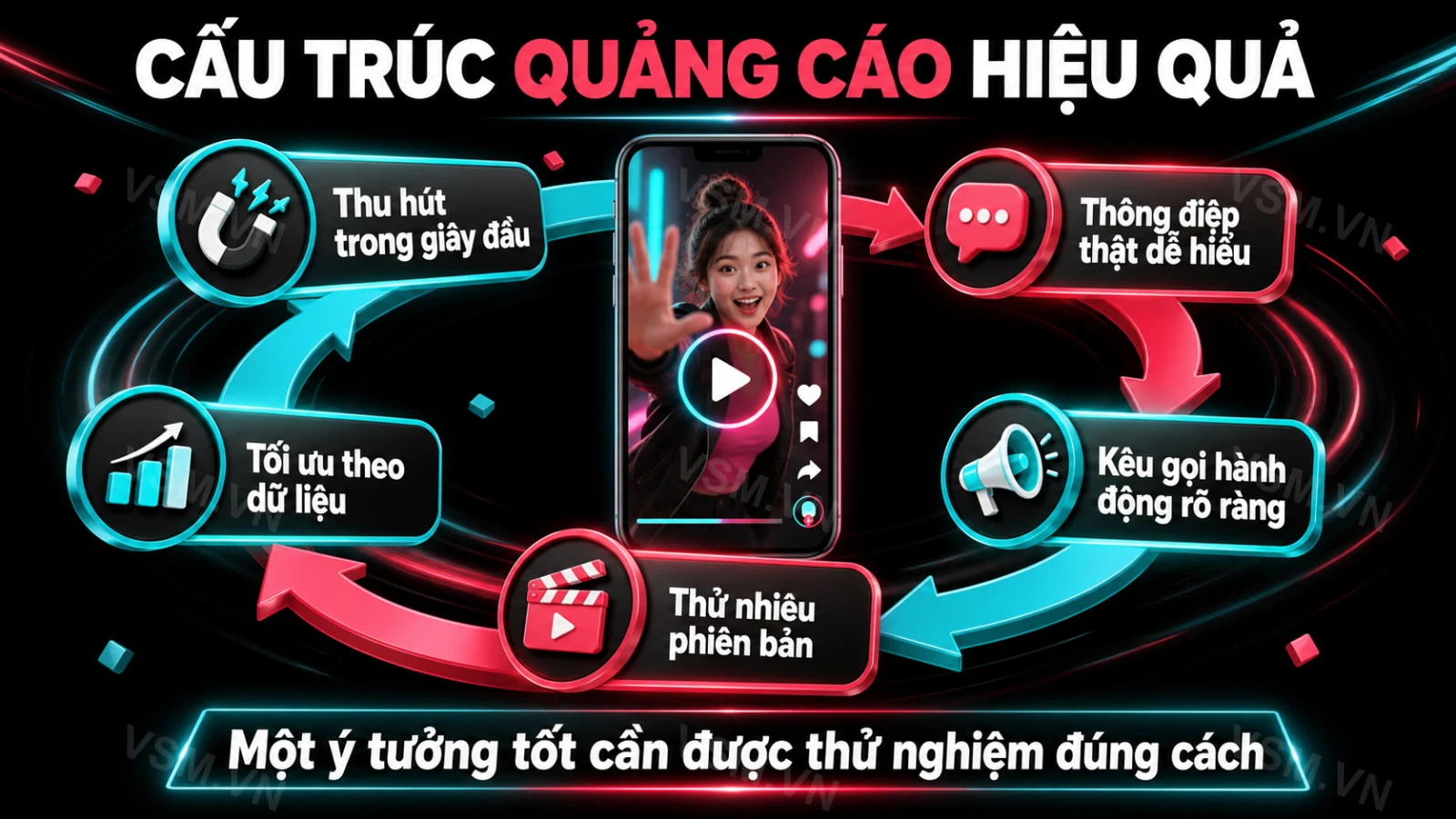
As TikTok's algorithm grows increasingly strict toward organic content, more and more brands and sellers are shifting their budgets toward TikTok Ads to reach customers faster with measurable results. Unlike posting a video and waiting for organic views, paid advertising on TikTok lets you actively choose your audience, control your daily budget, and optimize performance in near real time.
For beginners, though, TikTok Ads Manager comes packed with terminology and options that can be confusing: which campaign objective to pick, how much budget is reasonable, and whether to optimize for views or conversions. This guide walks through everything step by step, from the basics to setting up your first campaign in 2026, so you can avoid the common mistakes that make your budget evaporate without delivering results.
What Is TikTok Ads and Why Should Businesses Care in 2026
TikTok Ads is TikTok's official paid advertising system, allowing businesses to display short-video content to the right target audience based on age, gender, location, interests, and engagement behavior. Unlike traditional ad platforms that lean heavily on static imagery, TikTok Ads is designed to blend seamlessly into the entertainment video feed (the For You Page), making ads feel more natural and less intrusive to viewers.
Heading into 2026, as shopping through short videos (especially via TikTok Shop) becomes mainstream behavior, understanding how to run TikTok Ads has become almost mandatory for anyone doing marketing or selling online. TikTok's cost per thousand impressions (CPM) remains more competitive than many ad-saturated platforms, an advantage well worth capitalizing on early.
The Unique Advantage of TikTok's Algorithmic Targeting
What sets TikTok Ads apart is the platform's hyper-efficient recommendation algorithm. While other platforms rely heavily on declared interests or demographic data, TikTok's algorithm excels at understanding user behavior and preferences based on how they interact with content. This means ads can be shown to users who are most likely to engage or convert, even if their declared interests don't perfectly align. For businesses, this translates into a higher probability of reaching genuinely interested customers, reducing wasted ad spend and improving ROI.
The Rise of In-App Shopping and TikTok Shop
The integration of TikTok Shop directly within the app has revolutionized e-commerce on the platform. Users can discover products, watch reviews, and make purchases without ever leaving TikTok. This frictionless shopping experience is a goldmine for advertisers. TikTok Ads, particularly those driving to TikTok Shop product listings, benefit from this native integration, often seeing higher conversion rates due to reduced friction in the customer journey. For businesses, this means not just brand awareness but direct, measurable sales within the same ecosystem.
Popular TikTok Ads Formats
Before you start setting up a campaign, you need to understand the main ad formats TikTok offers, since each one suits a different goal:
- In-Feed Ads: Videos interspersed within the For You Page feed — the most common format, suited to small and mid-sized budgets. These ads are designed to look and feel like organic TikTok content, making them highly engaging. They can include interactive elements like call-to-action buttons, product cards, and links to external websites or TikTok Shop.
- Spark Ads: Directly "boosts" an existing video (including videos from partnered KOCs/KOLs) into an ad while keeping its accumulated likes, comments, and shares, making it feel more authentic than a purpose-built ad. Spark Ads leverage social proof and the trust users place in organic content creators, often leading to higher engagement rates and lower costs.
- TopView: Appears the instant the app is opened, taking over the full screen — massive reach but a high price tag, best suited to product launches or major brand campaigns. TopView ads guarantee maximum visibility and are ideal for generating immediate, widespread awareness for new products, events, or major brand announcements.
- Branded Hashtag Challenge: Encourages the community to create content around a branded hashtag, ideal for long-running viral campaigns. This format taps into user-generated content (UGC), fostering community engagement and significantly amplifying brand reach through organic sharing. Brands provide the challenge concept and a custom hashtag, then users create and share their own videos.
- Branded Effects: Branded effects and filters that let users create their own videos, boosting brand recognition organically. Similar to Branded Hashtag Challenges, this format encourages user participation and creativity, spreading brand awareness in a fun, interactive way.
- Collection Ads: These ads allow users to browse multiple products directly from the ad creative. They feature a main video or image followed by a series of product cards, offering a mini-catalog experience within the For You Page. Ideal for e-commerce brands looking to showcase a range of products.
- Dynamic Showcase Ads (DSA): Designed for large product catalogs, DSAs automatically generate personalized video ads for users based on their browsing history and interests. This format is highly efficient for e-commerce businesses with thousands of SKUs, ensuring relevant products are shown to the right audience without manual ad creation for each item.
For beginners, it's best to start with In-Feed Ads or Spark Ads, since they cost less, are easier to measure, and are simpler to adjust when something goes wrong. These formats provide a solid foundation for understanding the platform's mechanics before venturing into more complex or higher-budget options.
A Step-by-Step Guide to Running TikTok Ads for Beginners
Step 1: Create an Account and Set Up TikTok Ads Manager
Go to ads.tiktok.com, sign up for a business account, verify your company information (or individual seller details), and link a payment method. This process is straightforward but requires accurate details to ensure compliance. Make sure your business name, address, and tax information are correctly entered to avoid delays in approval.
Installing the TikTok Pixel or Events API
At this stage, it's worth installing the TikTok Pixel (or Events API) on your website so the system can track user behavior after they click your ad, which feeds into conversion optimization later on. This is a critical step for any performance-driven campaign. The pixel is a piece of code that you place on your website to track events like page views, add-to-carts, and purchases. The Events API offers a more robust, server-side tracking solution, providing greater data accuracy and resilience against browser privacy changes. TikTok provides clear instructions for installation, often through direct integration with popular e-commerce platforms like Shopify or WooCommerce, or via Google Tag Manager.
- Why the Pixel/Events API is crucial:
- Conversion Tracking: Measures how many people complete desired actions (e.g., purchases, sign-ups) after seeing your ad.
- Audience Building: Creates custom audiences based on website visitors (e.g., people who viewed a product but didn't buy) for remarketing.
- Optimization: Feeds data back to TikTok's algorithm, allowing it to find more users likely to convert, improving your ad performance over time.
Step 2: Define Your Campaign Objective
TikTok Ads Manager requires you to pick an objective right from the start: Reach, Traffic, Video Views, Conversions, or Sales via TikTok Shop. Picking the wrong objective sends the algorithm in the wrong direction — for example, choosing "Video Views" when your real goal is sales will drive up your cost per order abnormally, since the system will just chase views instead of finding people likely to buy.
- Awareness Objectives:
- Reach: Show your ad to the maximum number of unique users. Best for brand awareness campaigns where you want to get your message in front of as many eyes as possible.
- Video Views: Optimize for getting the most video plays. Useful for content-heavy campaigns, brand storytelling, or increasing engagement with your video creative.
- Consideration Objectives:
- Traffic: Drive users to a specific URL (e.g., your website, blog post). Good for generating interest and getting users off TikTok to learn more.
- Lead Generation: Collect leads directly within TikTok through instant forms. Ideal for businesses looking to gather contact information for sales outreach.
- Community Interaction: Focuses on increasing followers, profile visits, or video engagements on your TikTok account.
- Conversion Objectives:
- Conversions: Drive specific actions on your website, tracked by the TikTok Pixel (e.g., purchases, sign-ups, add-to-carts). This is the go-to objective for e-commerce and lead generation when you have a functioning pixel.
- Sales via TikTok Shop: Specifically designed for driving sales directly through your TikTok Shop listings. This objective leverages TikTok's in-app shopping features for a seamless purchase experience.
For most beginners focused on sales or leads, the "Conversions" or "Sales via TikTok Shop" objectives will be the most appropriate once your pixel is set up and collecting data. If you're just starting and don't have a pixel yet, "Traffic" can be a good interim objective to drive initial interest.
Step 3: Target Your Audience and Set a Budget
At the Ad Group level, define your audience by age, gender, location, interests, and behavior, and consider building a custom audience from your existing customer list or people who've previously engaged with your videos. TikTok offers robust targeting options:
- Demographic Targeting: Age, gender, location, language.
- Interest Targeting: Based on categories of content users interact with (e.g., fashion, gaming, beauty, technology).
- Behavioral Targeting: Based on specific actions users take on TikTok (e.g., interacted with certain video categories, creators, or hashtags).
- Custom Audiences:
- Customer File: Upload your existing customer list (email addresses or phone numbers) to target them directly.
- Website Traffic: Target users who have visited your website (requires the TikTok Pixel).
- App Activity: Target users based on their interactions with your mobile app.
- Engagement: Target users who have engaged with your TikTok videos, profile, or ads.
- Lookalike Audiences: Create audiences that "look like" your existing best customers or website visitors. This is a powerful scaling tool once you have sufficient data for your custom audiences.
Beginners should start with a test budget of roughly 300,000–500,000 VND (about 12–20 USD) per day for the first 3-5 days to gather data, rather than pouring the entire budget into an unproven campaign. This initial budget allows the algorithm to exit its learning phase and start optimizing without excessive risk. For budgeting, you can choose between a daily budget or a lifetime budget. Start with a daily budget for more control and flexibility.
Step 4: Design Your Ad Creative
Creative matters more to success than technical optimization ever will. An effective ad video typically has a strong hook in the first three seconds, sticks to the vertical 9:16 format, features clear audio, and ends with a specific call-to-action (CTA). Prepare 3-5 different video versions (varying the hook, the on-screen talent, or the camera angle) to run A/B tests in parallel instead of relying on a single video.
Key Elements of High-Performing TikTok Ad Creative:
- The Hook (First 3 Seconds): This is paramount. Grab attention immediately. Use a question, a shocking statement, a visually intriguing scene, or a relatable problem. Examples: "Are you tired of [common problem]?", "Watch me transform this in 10 seconds!", "You won't believe what happened next...".
- Authenticity Over Polish: TikTok users prefer content that feels real and unscripted. Don't overproduce. User-generated style content, even if professionally shot, often performs better than slick, traditional commercials.
- Clear Value Proposition: Quickly communicate what your product/service does and why it matters to the viewer. How does it solve a problem or bring joy?
- Show, Don't Tell: Demonstrate your product in action. If it's a beauty product, show the before and after. If it's a tool, show how easy it is to use.
- Trending Sounds and Music: Incorporate popular TikTok sounds or licensed music where appropriate. This can make your ad blend in with organic content and increase engagement.
- Text Overlays: Use on-screen text to highlight key benefits, prices, or CTAs, especially since many users watch without sound.
- Strong Call-to-Action (CTA): Tell users exactly what you want them to do. "Shop Now," "Learn More," "Sign Up," "Download the App." Make it clear and easy to follow.
- Vertical Video (9:16): This is non-negotiable for TikTok. Ensure your video fills the screen to provide an immersive experience.
- Keep it Concise: While TikTok allows longer videos, aim for 15-30 seconds for most in-feed ads. Get to the point quickly.
A/B Testing Your Creative
Running multiple creative variations simultaneously is crucial. Test different hooks, different people presenting the product, different music, and different CTAs. TikTok's algorithm will naturally favor the best-performing creative, allowing you to scale what works and pause what doesn't. This iterative testing process is key to long-term success.
Step 5: Monitor, Measure, and Optimize
Once your campaign has run for 24-48 hours, track key metrics: CTR (click-through rate), CPC (cost per click), CPA (cost per conversion), and video completion rate. A low CTR is usually a creative/hook problem rather than a budget problem; a good CTR paired with low conversions points to your landing page. Avoid tweaking the campaign repeatedly during the first 24 hours, since the algorithm needs time in its learning phase to optimize.
Key Metrics to Watch:
- CPM (Cost Per Mille/Thousand Impressions): How much it costs to show your ad 1,000 times. A high CPM might indicate a highly competitive audience or ad fatigue.
- CTR (Click-Through Rate): The percentage of people who clicked on your ad after seeing it. A low CTR (<0.5-1%) suggests your creative isn't engaging enough or your audience isn't right.
- CPC (Cost Per Click): How much you pay for each click on your ad.
- CPA (Cost Per Acquisition/Conversion): The average cost to achieve a desired action (e.g., a purchase, a lead). This is often the most important metric for conversion-focused campaigns. Your CPA should be lower than your profit margin per acquisition.
- ROAS (Return On Ad Spend): The revenue generated for every dollar spent on ads. Calculated as (Total Revenue from Ads / Total Ad Spend) x 100%. A ROAS of 200% means you get $2 back for every $1 spent.
- Video Completion Rate: How many viewers watch your video to the end. Low completion rates can indicate a boring video or a weak hook.
Optimization Strategies:
- Creative Refresh: If CTR drops or CPA rises, your audience might be experiencing ad fatigue. Launch new creative variations.
- Audience Refinement: If conversions are low despite a good CTR, your audience might be interested but not the right fit for buying. Try narrowing your targeting or testing lookalike audiences.
- Landing Page Optimization: Ensure your landing page loads quickly, is mobile-friendly, and has a clear message consistent with your ad. Any disconnect or friction here will kill conversions.
- Budget Adjustment: Once a campaign is performing well and out of the learning phase, gradually increase the budget (e.g., 10-20% increments every 2-3 days) to scale without disrupting performance.
- Bid Strategy: Experiment with different bid strategies (e.g., Lowest Cost, Cost Cap) as you become more experienced. For beginners, "Lowest Cost" is often the safest bet.
TikTok Ads vs. Facebook Ads: Which Platform Should You Choose?
Many beginners struggle to choose between TikTok Ads and Facebook Ads. At their core, the two platforms serve different behaviors: Facebook suits longer, persuasion-driven content aimed at customers who already have a clear, defined need, while TikTok excels at surprise, entertainment, and triggering impulse buying through short videos and an highly accurate algorithm that recommends content based on personal interests. You don't have to pick just one — many brands run both in parallel: TikTok Ads builds initial reach, while Facebook handles remarketing and closes the sale.
Key Differences in User Behavior and Ad Strategy:
- Intent vs. Discovery: Facebook/Instagram users often have a clearer intent when scrolling their feed (e.g., checking up on friends, looking for specific content). Ads here can be more direct and information-heavy. TikTok users are primarily in discovery mode, seeking entertainment. Ads must blend in and entertain first, then sell.
- Content Style: Facebook/Instagram allows for a broader range of content (static images, carousels, long-form video). TikTok is almost exclusively short-form, vertical video. Authenticity and fast-paced editing are key on TikTok.
- Algorithm Focus: Facebook's algorithm heavily relies on declared interests, demographics, and social connections. TikTok's algorithm is a master of behavioral targeting, understanding what users *actually* engage with, often leading to more surprising and effective audience matches.
- Purchase Journey: Facebook/Instagram often serves as a platform for consideration and research, leading to a purchase later. TikTok can compress the purchase journey, driving impulse buys directly through in-app shopping or highly engaging, short-form content.
When to Use Each Platform:
- TikTok Ads for:
- Brand awareness and viral reach, especially for new products or trends.
- Impulse purchases and direct sales via TikTok Shop.
- Reaching younger demographics (Gen Z, younger Millennials).
- Leveraging user-generated content and influencer marketing.
- Testing new creative concepts quickly due to the fast feedback loop.
- Facebook Ads for:
- Targeting specific demographics or highly defined interest groups.
- Remarketing to warm audiences (website visitors, past customers).
- Driving leads for high-ticket items or services requiring more information.
- Building community and customer loyalty.
- Showcasing a wider range of products or more detailed product features.
Ultimately, a diversified approach often yields the best results. Use TikTok to capture new audiences with engaging, discovery-focused content, and then use Facebook/Instagram for follow-up remarketing campaigns to nurture leads and close sales with more detailed information or testimonials.
Combining TikTok Ads with Organic Growth to Cut Costs
A common beginner mistake is focusing solely on paid ads while neglecting the foundation of their own TikTok channel (account). Once a channel has a solid follower base, decent engagement, and a certain level of trust, ad costs (especially for Spark Ads run from existing videos) drop noticeably, because the algorithm favors accounts with strong "social proof." Before pouring a large budget into TikTok Ads, then, it's worth spending time building up your channel first — you can check out these TikTok follower growth secrets for beginners to give your channel enough credibility before ramping up ad spend.
Synergy Between Organic and Paid Strategies:
- Enhanced Ad Performance: Spark Ads that leverage high-performing organic content benefit from existing likes, comments, and shares, making them appear more credible and trustworthy. This "social proof" often leads to higher CTRs and lower CPCs.
- Audience Building for Retargeting: Organic content helps build an engaged audience on your profile. You can then create custom audiences of people who have interacted with your organic videos or profile and target them with ads, leading to higher conversion rates.
- Content Testing Ground: Your organic channel can serve as a testing ground for creative ideas. Videos that perform exceptionally well organically are strong candidates for conversion into Spark Ads. This reduces risk and optimizes ad spend.
- Brand Authority and Trust: A thriving organic presence builds brand authority and trust. When users see an ad from an account they recognize or respect, they are more likely to engage and convert.
If you don't have the time or manpower to manage content, optimize ads, and track daily metrics all at once, partnering with a specialized agency can shorten your trial-and-error curve significantly. Professional TikTok marketing services typically bundle content creation, ad management, and stage-by-stage performance optimization, helping you save on your initial testing budget.
Key Pitfalls and Risks to Avoid When Running TikTok Ads
- Don't set your budget too low: A budget that's too small starves the algorithm of the data it needs to optimize, leading to poor performance even with great creative. TikTok's algorithm needs sufficient data to learn and find the right audience. If your budget is too low, it might not even exit the learning phase effectively.
- Don't keep changing your campaign: Every time you edit the budget, audience, or creative, the campaign restarts its learning phase from scratch. This can lead to inconsistent performance and wasted ad spend. Make significant changes only after allowing the campaign to run for at least 3-5 days.
- Avoid policy-violating content: TikTok strictly reviews content in healthcare, finance, and supplements — read the advertising policy carefully beforehand to avoid rejection or account suspension. Be particularly mindful of claims, testimonials, and imagery. Ensure all disclosures are present and clearly visible.
- Don't neglect your landing page: Many campaigns fail not because of the ad itself but because the landing page loads slowly or its content doesn't match the video. Your landing page is the critical next step after the click. It must be mobile-optimized, fast-loading, visually appealing, and directly relevant to the ad's message and offer.
- Watch your ad frequency: Showing the same ad too often causes "ad fatigue," reducing effectiveness and driving up costs — refresh your creative periodically. Monitor your frequency metric in Ads Manager. Once it starts to creep up (e.g., above 2-3 impressions per user per week), it's time to introduce new creative.
- Lack of clear CTA: An engaging video without a clear call-to-action leaves users wondering what to do next. Always guide your audience to the desired action.
- Ignoring comments and engagement: TikTok is a social platform. Ignoring comments, questions, or even negative feedback on your ads can harm your brand's perception. Engage with your audience to build trust and community.
- Not utilizing TikTok Shop features: If you're selling products, not integrating with TikTok Shop (if applicable to your region) means missing out on a seamless in-app purchasing experience that can significantly boost conversion rates.
Frequently Asked Questions
What's the minimum budget needed to run TikTok Ads? TikTok typically sets a campaign-level minimum budget starting around 50 USD/day (varying by timing and account type), but at the Ad Group level with a new account, you can begin testing with just a few hundred thousand VND per day to get familiar with the interface before scaling up. This initial testing budget is crucial for gathering data and understanding what works.
Which campaign objective should beginners choose first? If you don't yet have a website or tracking pixel, start with the Video Views or Traffic objective to get familiar with the algorithm, then switch to the Conversions objective once your pixel has gathered enough data — typically 50 or more conversion events within 7 days. This allows the algorithm enough data to optimize for actual sales or leads.
How long does it take to know if a TikTok Ads campaign is working? Monitor your campaign for at least 3-5 consecutive days, and avoid judging performance after just a few hours, since the algorithm needs time in its learning phase to optimize. If your CPA/CPC is still abnormally high relative to your target after 5 days, revisit your creative or targeting rather than continuing to pour in more budget.
Is TikTok Ads suitable for every industry? Most consumer goods, fashion, F&B, education, and entertainment brands are well-suited; sensitive categories like healthcare, finance, and supplements need to prepare thorough legal documentation and policy-compliant content to avoid ad rejection. Always double-check TikTok's specific advertising policies for your industry.
Can I use my existing video content for TikTok Ads? Yes, you can. While creating native TikTok content is often best, you can certainly repurpose high-performing short-form videos from other platforms. However, ensure they are in the vertical 9:16 format and adapted to TikTok's fast-paced, authentic style. Spark Ads are specifically designed for boosting existing organic content.