
How to Write SEO-Optimized YouTube Titles and Descriptions
Vietnamese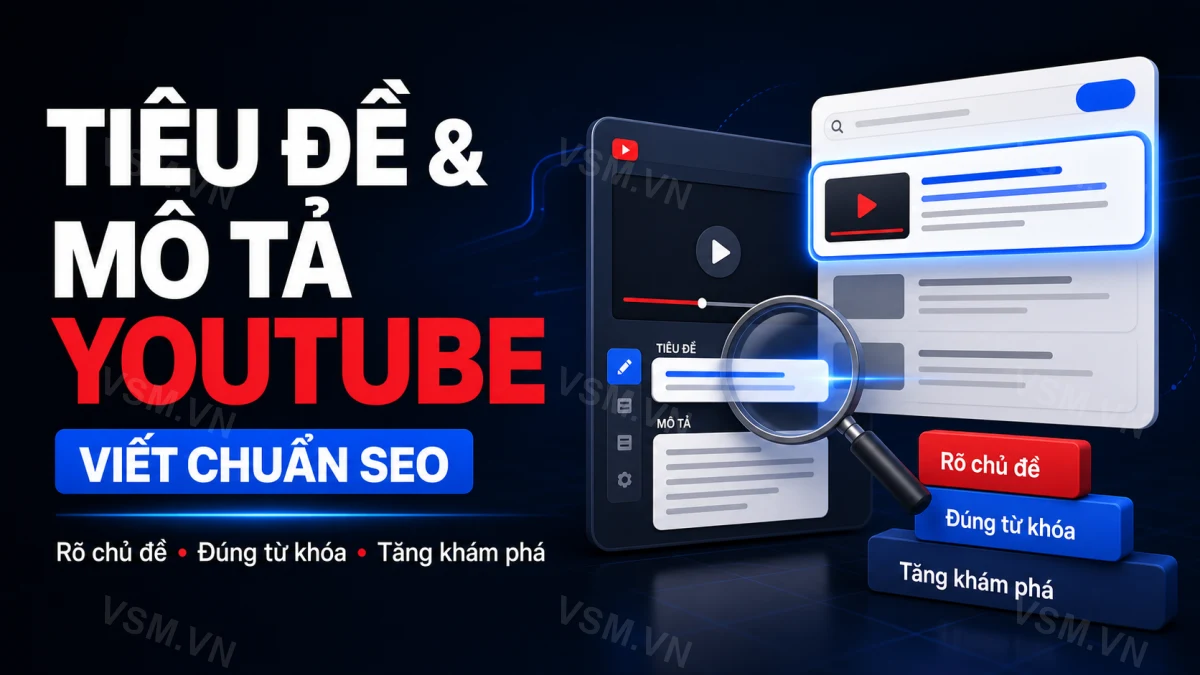
Quick answer: To write SEO-optimized YouTube titles and descriptions, focus on keyword research and audience intent. Start by identifying 2-3 primary keywords your target viewers are searching for, using tools like Google Trends or YouTube's own search suggestions. Integrate these naturally into your title and the first 1-2 sentences of your description, as these are crucial for visibility. Aim for titles under 60 characters for optimal display across devices, ensuring clarity and curiosity.
On YouTube, the algorithm doesn't "watch" your video for you — it reads the text data you provide to decide who that video gets shown to. That's why knowing how to write SEO-optimized YouTube titles and descriptions is what determines whether your video gets recommended, ranks in search, and earns clicks, even before the content itself is ever judged. Plenty of genuinely good videos still sink without a trace simply because the title is vague and the description is left blank.
This article gets straight to the point: the principles behind strong titles, the structure of an SEO-friendly description, how to pick the right keywords, and the common mistakes that keep videos from getting recommended — all so you can put them to work on your own channel right away.
Why Titles and Descriptions Determine Your Video's Views
YouTube is the world's second-largest search engine after Google, and it works in much the same way: the system scans your text — title, description, tags, captions — to figure out what the video is actually about, then matches that against a viewer's search query or watch history. The title carries the most weight because it shows up everywhere — search results, recommendations, the homepage — and directly drives click-through rate (CTR). The description is seen less often, but it's where the algorithm digs deeper into context to gauge topical relevance, which in turn decides whether your video gets grouped with the right related content.
In other words, a compelling title earns the click, while a well-optimized description helps YouTube understand the video correctly and push it to the right potential audience. Miss either one and your video will struggle to break out, no matter how good the content is.
The Algorithmic Workflow: How YouTube Processes Your Text Data
To truly grasp the importance of titles and descriptions, it's helpful to understand the simplified workflow of the YouTube algorithm:
- Initial Scan: When you upload a video, YouTube's systems immediately scan your title, description, and tags. This initial scan aims to categorize your video at a high level (e.g., "cooking tutorial," "gaming review," "vlog").
- Keyword Extraction: The algorithm extracts primary and secondary keywords from your provided text. It looks for patterns, related terms, and contextual clues to build a comprehensive understanding of your video's topic.
- Audience Matching: Based on the extracted keywords and categories, YouTube starts matching your video with potential viewers. This happens through search results (when a user types a query), recommendations (based on watch history and similar content), and the homepage feed.
- Performance Monitoring: Once your video starts getting impressions, YouTube closely monitors engagement signals: click-through rate (CTR) from the title/thumbnail, average view duration, audience retention, likes, comments, and shares.
- Iterative Optimization: If initial signals are positive, YouTube expands the audience it shows your video to. If signals are negative (e.g., low CTR, viewers quickly leave), the algorithm reduces its recommendations. This feedback loop is continuous.
This workflow highlights that your text data isn't just about getting found; it's about giving YouTube the best possible information to correctly categorize your video and find its ideal audience, which then dictates how well it performs in the crucial feedback loop.
Principles for Writing an SEO-Optimized Video Title
Put the Main Keyword Near the Start of the Title
The keyword viewers are likely to type into the search bar should appear as close to the start of the title as possible, since both the algorithm and human readers scan from left to right. For example, instead of writing "Easy and Delicious Cooking Tutorial — How to Make Beef Pho," flip it around to "How to Make Simple, Delicious Beef Pho at Home." Identifying the right keyword should be based on what viewers are actually searching for, not on wording you personally think sounds catchy.
Practical Tip: Keyword Research for Titles
Don't guess your main keyword. Utilize YouTube's own search bar for autocomplete suggestions. Type in a broad topic and see what specific phrases pop up. Tools like Google Keyword Planner (though primarily for Google Search, it gives good topic ideas), TubeBuddy, or VidIQ can provide more in-depth data on search volume and competition for specific YouTube keywords. Look for keywords that have a decent search volume but aren't oversaturated with high-authority channels.
Example: If you're making a video about "gardening," typing that into YouTube might suggest "gardening for beginners," "gardening tips," "gardening hacks," or "gardening in small spaces." Your video's specific angle should guide which of these becomes your primary keyword, placed front and center.
Keep the Title Length Between 50 and 60 Characters
YouTube typically truncates titles in search results and on mobile after around 60 characters. If your title runs too long, the most important part — usually the benefit or the keyword — can get cut off, leaving viewers with no idea what the video is about in that split second as they scroll past.
Why Brevity Matters for Mobile Viewers
A significant portion of YouTube's audience accesses the platform via mobile devices. On smaller screens, title truncation is even more aggressive. A concise title ensures that your core message and primary keyword are always visible, regardless of the device. This directly impacts your click-through rate, as viewers can quickly understand what your video offers without needing to click or hover.
Actionable Step: After drafting your title, paste it into a word counter or use a YouTube title length checker tool. Better yet, search for a similar topic on YouTube on your phone to see how various titles appear in the feed.
Spark Curiosity Without Resorting to Misleading Clickbait
Specific numbers, open-ended questions, or a clear promise of value ("5 Ways," "In 3 Minutes," "What No One Tells You") tend to pull a higher CTR than generic titles. That said, the video has to deliver on exactly what the title promises. YouTube tracks average view duration right after that first click very closely — if viewers bail out because they feel misled by the title, the algorithm will start recommending that video less over time, no matter how strong the initial CTR was.
The Balance Between Intrigue and Integrity
The goal is to create a title that makes someone think, "I need to watch that!" without feeling cheated afterward. Think of it as a compelling movie trailer – it promises excitement, but the movie itself has to deliver. A good test is to ask yourself: "If I watched this video after reading this title, would I feel satisfied that it delivered on its promise?" If the answer is no, rethink your title.
- Good Curiosity: "The #1 Mistake Beginner Gardeners Make (and How to Fix It)" - promises a specific problem and a solution.
- Bad Clickbait: "You Won't BELIEVE What Happened When I Planted This!" - vague, overly sensational, likely to disappoint.
How to Write an SEO-Optimized Video Description
Structure the Description in Three Layers
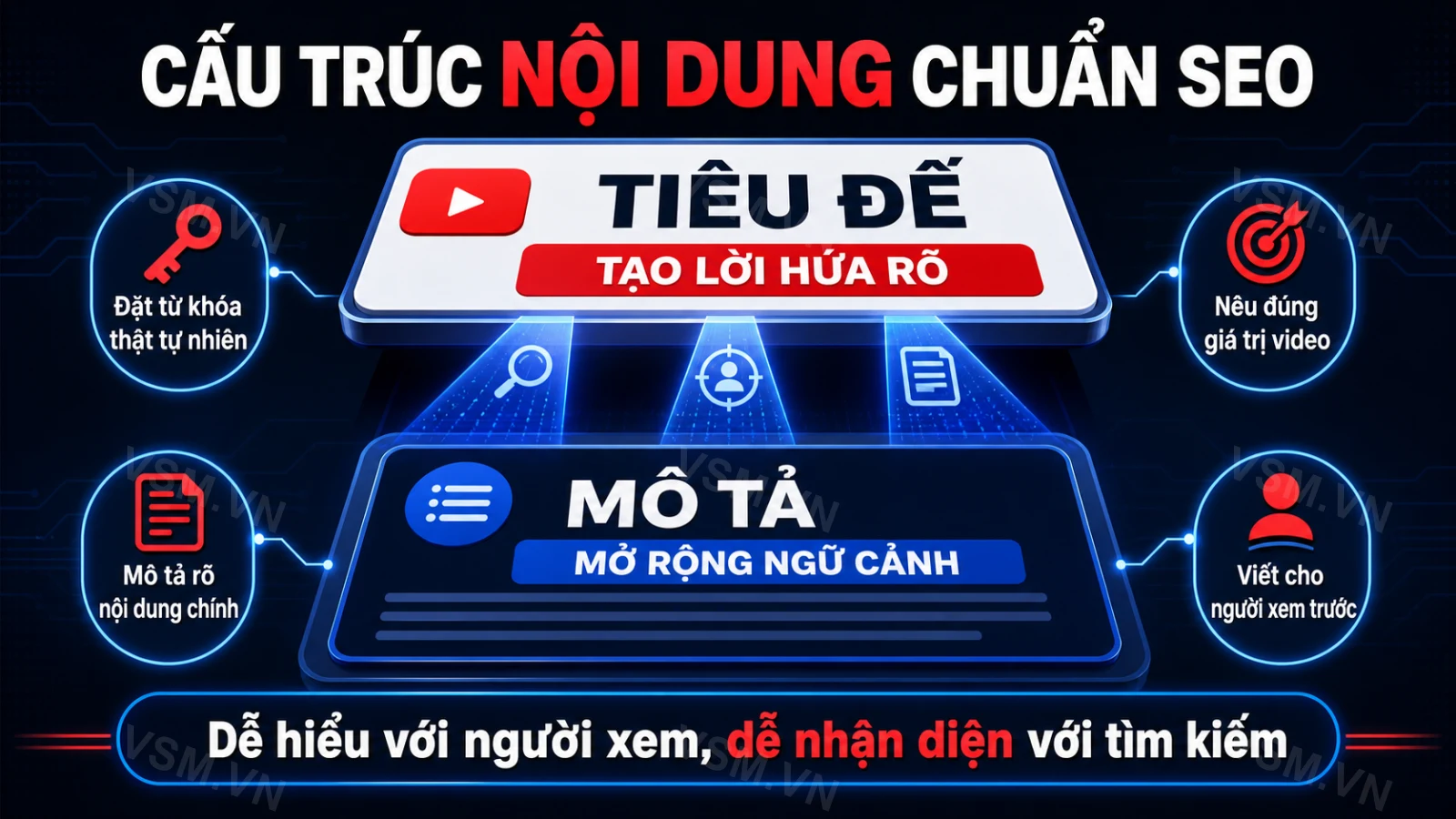
A good description should be split into three clear parts. The first two to three sentences — the part visible before viewers click "Show more" — need to contain the main keyword and summarize the value the video delivers, since this is the section YouTube weighs most heavily and the part users see straight away in search results. The middle section expands on the content, going into more detail on the topic, and can include timestamps if the video runs long. The final section is reserved for a call to action, social links, and related playlists.
Layer 1: The Hook (Visible Section)
This is your most important real estate. It's the first thing viewers see and what YouTube uses to establish initial relevance. It should be concise, compelling, and keyword-rich. Example: "In this video, learn how to make simple, delicious beef pho at home with our easy-to-follow recipe. Discover the secrets to a rich broth and tender beef, perfect for any home cook."
Layer 2: The Expansion (Detailed Content)
Once a viewer clicks "Show more," they're looking for more information. This section is where you elaborate.
- Detailed Summary: Expand on what the video covers, using related keywords naturally.
- Timestamps/Chapters: For longer videos, timestamps (e.g., "0:00 Intro, 1:30 Ingredients, 5:00 Cooking Steps") are crucial. They improve user experience, audience retention (viewers can jump to relevant sections), and can even help your video rank for specific sub-topics within the video.
- Key Takeaways: Briefly list the main points or benefits viewers will gain.
Layer 3: The Call to Action & Resources (Engagement & Growth)
This is where you guide viewers to their next step.
- Subscribe Call: "Don't forget to subscribe for more delicious recipes!"
- Social Media Links: Link to your Instagram, Twitter, Facebook, etc.
- Related Playlists/Videos: Direct viewers to other relevant content on your channel to increase watch time and channel engagement.
- Product/Affiliate Links: If applicable, link to products mentioned or affiliate links (ensure proper disclosure).
- Merchandise/Patreon: Links to support your channel.
Use Related Keywords Naturally
Beyond the main keyword, work in semantically related (LSI) keyword phrases that viewers interested in the same topic tend to search for. The autocomplete suggestions in the YouTube search bar, or the "related videos" of competitors in your niche, are a free and fairly reliable source to draw from. Avoid repeating the same keyword over and over — not only does that make the description unpleasant to read, YouTube may also flag it as spam.
The Power of LSI Keywords
Latent Semantic Indexing (LSI) keywords are terms and phrases that are semantically related to your main topic. They help YouTube understand the full context of your video, not just the exact match of your primary keyword. If your video is about "how to make beef pho," LSI keywords might include "Vietnamese noodle soup recipe," "pho broth ingredients," "tender beef pho," "authentic pho recipe," or "homemade pho tutorial."
How to Find LSI Keywords:
- YouTube Autocomplete: Start typing your main keyword and observe the suggestions.
- "People Also Ask" (Google Search): Search your main keyword on Google and look at the "People also ask" section for common questions.
- Competitor Analysis: Look at the descriptions and tags of popular videos on the same topic.
- Thesaurus/Synonyms: Think of alternative ways to describe your topic.
Integrate these naturally into your description paragraphs, making sure they flow and add value to the text, rather than just being a list of words.
Add Links, Hashtags, and a Call to Action
The description is the ideal place to direct viewers to other platforms, introduce a product or service, or invite them to subscribe. Place 2-3 directly relevant hashtags right in the first line of the description (they'll automatically display above the title), and avoid stuffing in too many unrelated hashtags — YouTube may ignore all of them if you exceed the allowed limit.
Hashtag Best Practices
While you can add up to 15 hashtags in your description, YouTube recommends sticking to a few highly relevant ones. The first few hashtags you include in your description will appear above your video's title. These are clickable and can help users discover your content through hashtag searches. Ensure they are directly relevant to your video's content and niche. Irrelevant hashtags can be seen as spam and may even lead to your video being removed from search results for those tags.
Example: For a "beef pho" video, good hashtags might be #BeefPho #VietnameseFood #HomemadePho. Avoid generic tags like #Food or #Cooking unless they are highly specific to your niche.
Pairing Text Optimization With Real Engagement Signals
An optimized title and description help the right audience actually see your video, but for it to truly break out in those first few hours — the window where the algorithm assesses its potential before deciding how widely to recommend it — the video also needs positive engagement signals like views, watch time, and retention rate. That's why many creators pair text-based SEO with a deliberate push to build early momentum, for instance by using a YouTube view-boosting service to help a video quickly clear the minimum view threshold, sending a positive signal that gives the algorithm the confidence to recommend it to more organic viewers. If you'd like to explore sustainable growth methods that work alongside SEO, our guide on how to increase YouTube views effectively and safely lays out a fuller strategy you can adapt for your own channel.
The Critical Role of Early Engagement
YouTube's algorithm prioritizes fresh content that performs well immediately after upload. This initial performance acts as a strong signal to the algorithm: "Is this video something people want to watch?" High early engagement (views, watch time, likes, comments) tells YouTube that your video is valuable and should be shown to a wider audience. This is where the synergy between SEO and active promotion comes into play. Even the most perfectly optimized title and description won't matter if no one ever sees the video to generate those initial signals.
Consider these strategies for boosting early engagement:
- Promote on Social Media: Share your new video across all your social platforms (Instagram, TikTok, Twitter, Facebook, community forums).
- Email List: If you have an email list, notify your subscribers about your new upload.
- Community Tab: Utilize YouTube's Community tab to announce new videos and engage with your existing audience.
- Collaborations: Partnering with other creators can expose your video to a new, relevant audience.
Understanding Watch Time and Audience Retention
While views are important, YouTube places a very high value on watch time (total minutes watched across all viewers) and audience retention (the percentage of your video that viewers watch). These metrics directly indicate how engaging your content is. A great title gets the click, but great content keeps viewers watching. If your video has a high CTR but low watch time, YouTube will eventually stop recommending it. Conversely, a video with a moderate CTR but exceptional watch time can still gain significant traction over time.
Tips for improving watch time and retention:
- Engaging Intro: Hook viewers in the first 15-30 seconds.
- Pacing: Keep the video moving; avoid dead air or overly long explanations.
- Storytelling: Even educational videos benefit from a narrative structure.
- Pattern Interrupts: Change camera angles, add graphics, or shift topics slightly to re-engage viewers.
- Call to Action within Content: Remind viewers to subscribe or check out other videos naturally within the video itself.
Common Mistakes When Optimizing YouTube Titles and Descriptions
- Leaving the description blank or dashing off a single throwaway line — this starves YouTube of the data it needs to understand the video's topic, reducing its odds of surfacing in related searches.
- Unnatural keyword stuffing — repeating the same phrase too many times in the title or description reads as spam and hurts the channel's credibility.
- Clickbait titles that don't match the content — this boosts CTR in the short term but wrecks retention over the long run, causing the algorithm to recommend the video less afterward.
- Copying a competitor's title word for word — this creates no differentiation and makes it harder to rank when hundreds of other videos cover the same topic.
- Forgetting to update titles and descriptions on older videos — search trends and related keywords shift over time, and an older video can still be "revived" if it's re-optimized the right way.
Beyond the Basics: Advanced Optimization Pitfalls
- Ignoring Audience Feedback: Not analyzing comments for what viewers are asking for or what they find confusing. This can lead to creating content that isn't truly aligned with your audience's needs, making SEO efforts less effective.
- Inconsistent Branding: While not directly SEO, a consistent brand voice and visual style across your titles, thumbnails, and content helps build recognition and trust, which indirectly boosts CTR and loyalty over time.
- Over-reliance on Tags: While tags are still a factor, YouTube has explicitly stated their importance has diminished in favor of titles and descriptions. Don't spend excessive time on tags at the expense of crafting compelling text.
- Not Using End Screens and Info Cards: These on-video elements are powerful tools to guide viewers to other videos, playlists, or your subscribe button, extending watch time on your channel. Neglecting them is a missed opportunity for internal SEO.
Quick Comparison: Weak Titles/Descriptions vs. SEO-Optimized Ones
A weak title tends to be vaguely descriptive, contains no specific keyword, and gives viewers no clear sense of what they'll gain — think "My New Video." An SEO-optimized title, by contrast, always answers the question "what is the viewer searching for, and what does this video offer them," while placing the keyword where it's easiest to spot. In the same way, a weak description is nothing more than a one-line greeting, while an SEO-optimized one delivers full context, related keywords, and a clear call to action. The gap looks small on any single video, but it compounds over time into a substantial difference in organic views between channels.
Case Study: The Impact of Optimization
Imagine two channels, A and B, both uploading a video about making sourdough bread.
- Channel A (Weak Optimization):
- Title: "Sourdough Bread Making"
- Description: "Hey guys, here's my new video on sourdough."
- Outcome: This video might get some views from existing subscribers, but it's unlikely to rank high for any specific search terms. The algorithm has minimal data to go on, so it struggles to find a new audience.
- Channel B (SEO-Optimized):
- Title: "Beginner's Guide: How to Make Sourdough Bread at Home (No-Knead Recipe!)"
- Description (visible snippet): "Learn how to make delicious no-knead sourdough bread at home with this easy beginner-friendly recipe. Perfect for first-timers!"
- Description (full): Includes a detailed summary, timestamps for each step (mixing, proofing, baking), related keywords like "sourdough starter," "artisan bread," "baking tips," links to social media, and a call to subscribe.
- Outcome: This video clearly targets "how to make sourdough bread at home" and "no-knead recipe." The description gives YouTube rich context, allowing it to rank for these terms. The compelling title and detailed description also encourage clicks and extended watch time, signaling to the algorithm that this is a valuable piece of content for its target audience. Over time, Channel B's video will consistently outperform Channel A's in organic reach and new viewer acquisition.
This stark comparison illustrates that while the content itself is paramount, the way you package and describe it for the algorithm is the bridge between your video and its potential audience.
Frequently Asked Questions
How long should a YouTube video title be? Keep it between 50 and 60 characters to avoid getting cut off in search results and on mobile, while making sure the main keyword sits near the beginning of the title.
Should I stuff a lot of keywords into the video description? No. Just include the main keyword and a few related keywords woven naturally into the sentences — overdoing it risks getting flagged as spam by YouTube and makes the description unpleasant to read.
Does a clickbait title help a video trend faster? It can boost CTR initially, but if the content doesn't live up to the title's promise, retention will drop sharply and the algorithm will limit how often the video gets recommended going forward.
Is it worth updating the title and description on videos published a long time ago? Yes. Updating the title and description to match current trending keywords is an effective way to revive views on an older video without having to create entirely new content.
Are YouTube tags still important for SEO? While less impactful than titles and descriptions, relevant tags still help YouTube understand the context of your video and categorize it correctly. Use a mix of broad and specific tags, but prioritize your title and description.
How often should I optimize my video descriptions? Ideally, optimize them when you first upload. However, it's a good practice to revisit and update descriptions for older videos periodically (e.g., every 6-12 months) to ensure they align with current search trends and to add new calls to action or related content links.